65
ES
cod. 3542B380 - Rev 00 - 05/2022
6. MENÚ TÉCNICO
6.1 ACCESO AL MENÚ TÉCNICO
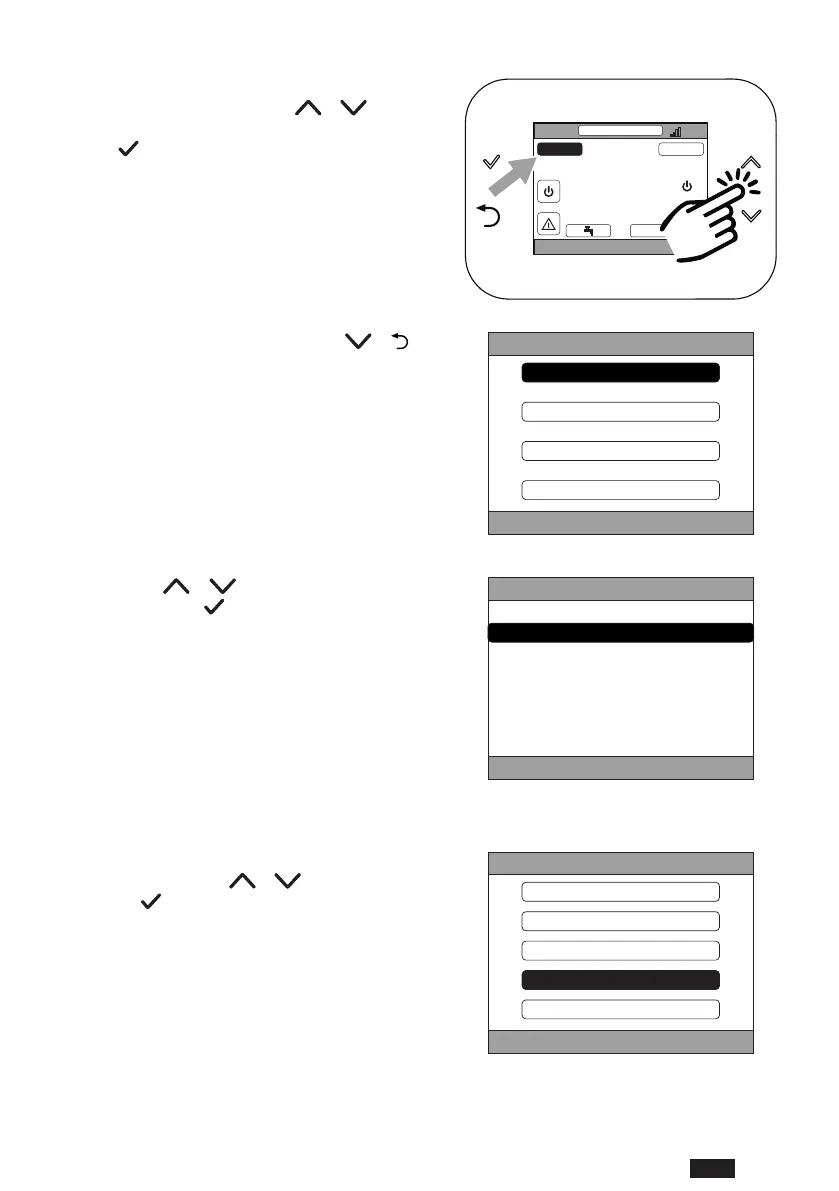
Para acceder a este menú, proceda de la siguiente manera.
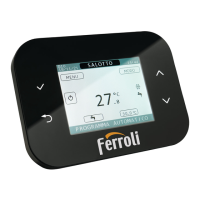
En la pantalla principal, pulse las teclas
y hasta
seleccionar el área “Menú”.
Pulse la tecla
.
SALOTTO
PROGRAMA AUTOMÁTICO
MAR.
23/07/19 12:19
27.5
MENÚ MODO
16.0 °C
g. 62
Mantenga pulsadas simultáneamente las teclas y
durante unos cinco segundos.
M E N Ú
I N F O
C O N FIGURACION E S
P R OGR A M A H O R A R I O
WIFI
g. 63
Pulsando las teclas y , introduzca la contraseña
(10) y, luego, pulse la tecla
.
M E N Ú
I N T R O DUCI R C O N T R ASEÑ A
1 0
g. 64
Entonces, en el menú aparecerá la opción “TÉCNICO”. Se-
lecciónela pulsando las teclas
y y, luego, confír-
mela con la tecla
.
MENÚ
INFO
CONFIGURACIONES
PROGRAMA HORARIO
TÉCNICO
WIFI
g. 65


 To Next Page
 Loading...