86
EN
cod. 3542B380 - Rev 00 - 05/2022
4.4 ACCESS AND FUNCTIONALITY OF ACTIVE AREAS
4.4.1 System
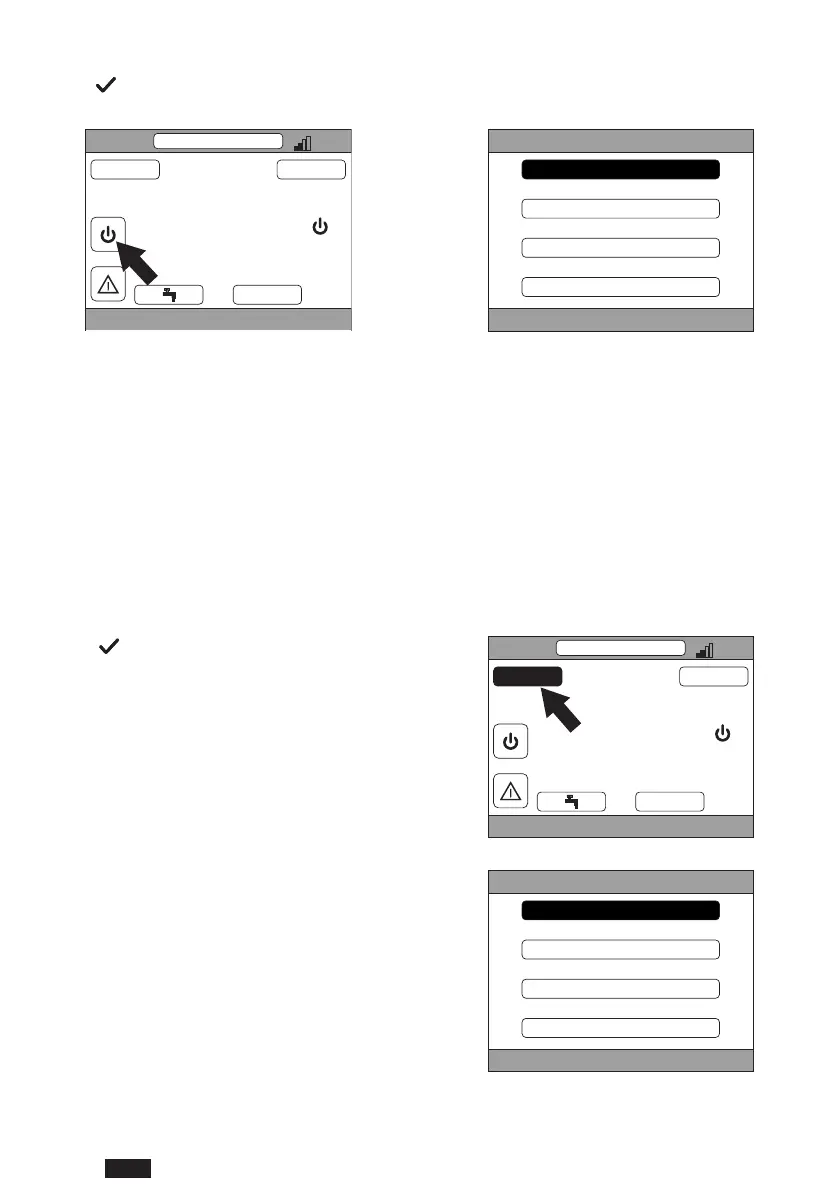
Press the button in the “System” active area (ref. 1 - fig. 21) to access the menu for changing the system operating
mode and activate or deactivate “DHW production” (DHW menu).
CRP
TUE
23/07/19 12:19
27.5
MENU MODE
16.0 °C
g. 22
SYSTEM
STAND BY
HEATING
COOLING
DHW
g. 23
NOTE If the digital inputs are enabled, it will only be possible to access the DHW menu until synchronization
with the system.
The possible operating modes are:
STAND BY:The system does not meet any request for heating/cooling or DHW production
NOTE The system cannot be put in this operating mode when the “DIGITAL INPUT” function is enabled. This
option will not be shown in the list.
HEATING: The system can meet heating requests
COOLING: The system can meet cooling requests
NOTE The system cannot be put in Riscaldamento or Raffrescamento mode when the “Ingressi digitali”
function is enabled and the system is in “MODE SET”. In this case the operating mode will be deter-
mined by the status of the digital inputs. These options will not be shown in the list.
4.4.2 Menu
Press the button in the “MENU” active area (ref. 2 -
g.21)toviewsomesysteminformationandtochange
some of its settings.
CRP
TUE
23/07/19 12:19
27.5
MENU MODE
16.0 °C
g. 24
The screens accessible from this menu are:
INFO
SETTINGS
TIME SCHEDULE
WIFI
MENU
INFO
SETTINGS
TIME SCHEDULE
WIFI
g. 25


 To Next Page
 Loading...