Filtration Learning System Commissioning
© Festo Didactic 696684
55
11.6 Actuation with EasyPort 19″
Cable connections between station and EasyPort 19″
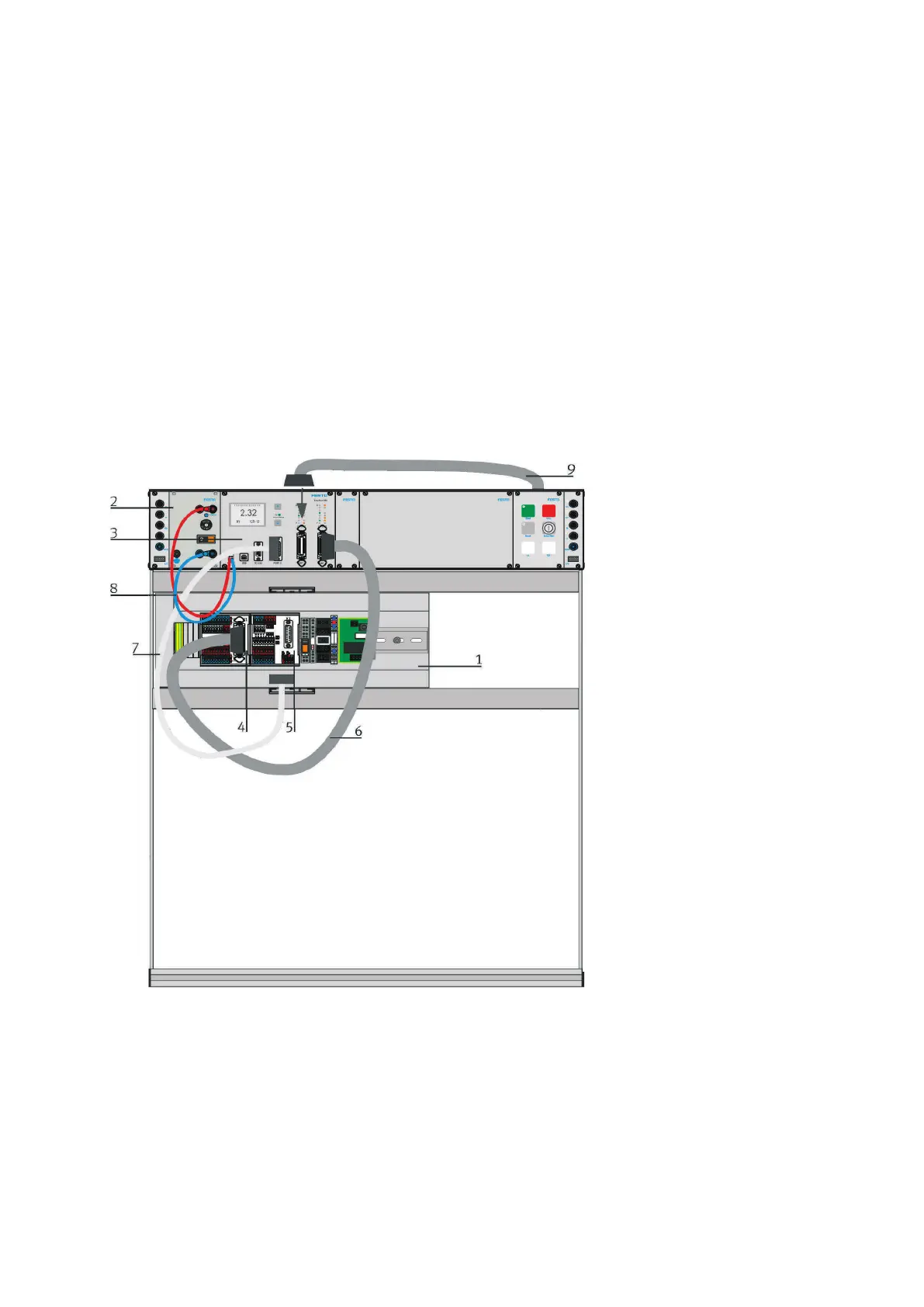
The cable connections are described and shown for an MPS PA station connected to EasyPort 19″:
• he Connect digital I/Os of port 1 of the EasyPort and the I/O terminal (4) XD1 of the station with I/O data
cable SysLink (6) or check the connection.
• Connect the digital I/Os of port 2 of EasyPort and the control panel (9) with I/O data cable SysLink (4) or
check the connection.
• Connect the analog I/Os of port 3 of the EasyPort and analog terminal XD3 (5) of the station
with analog I/O data cable (7) or check the connection.
• Connect EasyPort for power supply and power supply unit with laboratory cables
(7 - 4 mm safety plug red = + / blue = -) or check the connection.
• Connect your PC or operator unit to EasyPort using a network cable (not shown) or check the
connection.
Figure 38: Cable connection MPS PA Station – EasyPort 19″
Legend
1 I/O connection board MPS-PA station
2 Power supply unit 24 V DC, 4.5 A
3 EasyPort 19″
4 I/O terminal SysLink
5 Analog terminal
6 SysLink I/O data cable, parallel (034031)
7 Analog cable, 15-pin, parallel (529141)
8 Laboratory cable with safety laboratory sockets
(red/blue)
9 Control panel with I/O data cable SysLink, parallel
(034031)


 To Next Page