Commissioning Filtration Learning System
50 © Festo Didactic 696684
11.5.6 Operation on the control console with operator unit TP700 Comfort
The control console is mounted on the front right of the profile plate. First, connect all the components of
the station. Check whether the PLC is in operation and the program is loaded.
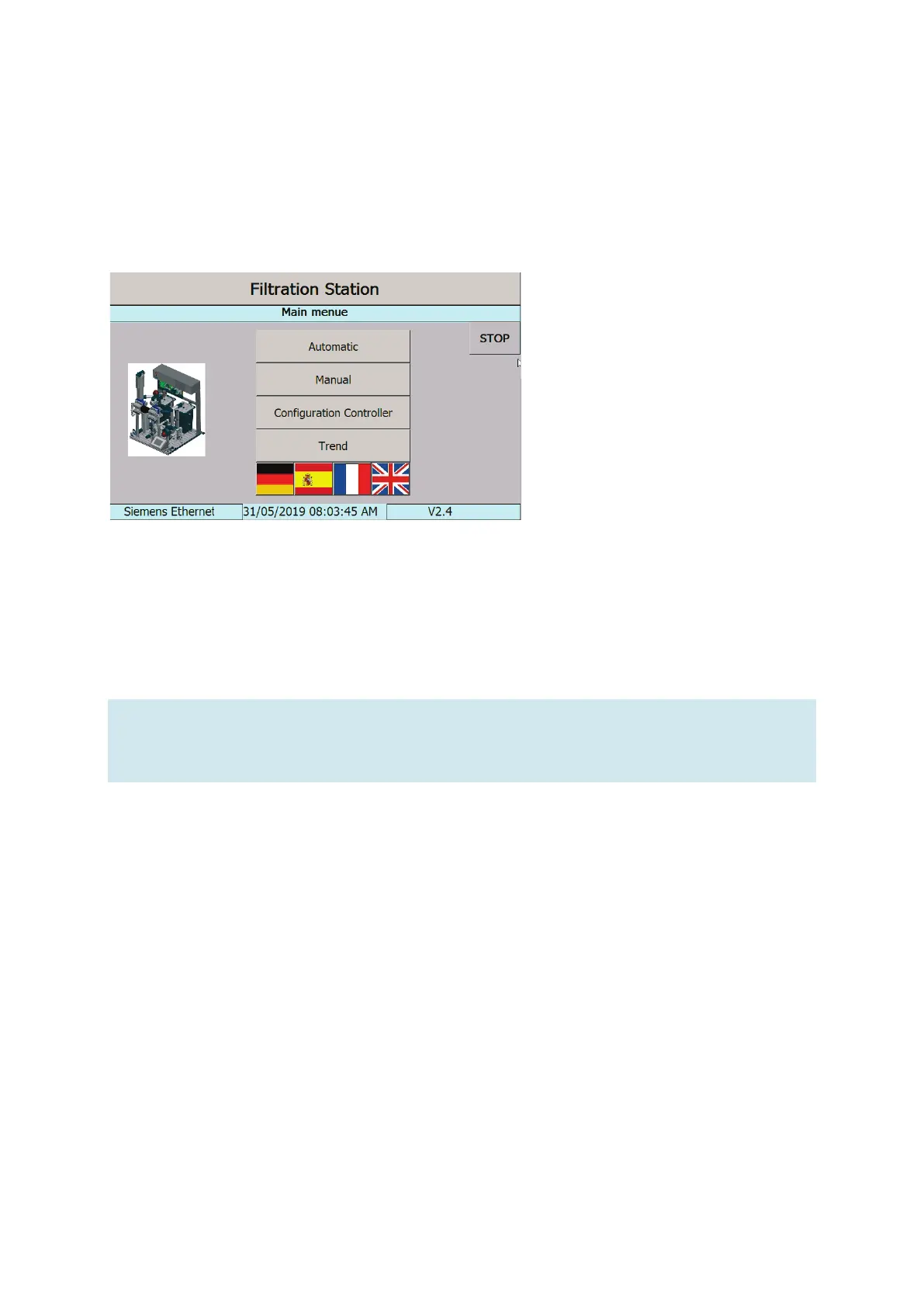
Main menu
If all components are in operation, the main menu appears on the control console.
Figure 29: Main menu screen
1. First, select the language (German, English, Spanish, or French) using the four flag symbols.
2. Select one of the four operating modes: automatic, manual, controller configuration, or display of the
trend.
Note
The actuators can be switched off at any time via the “STOP” button – automatic operation is
ended.


 To Next Page