Filtration Learning System Commissioning
© Festo Didactic 696684
51
Automatic mode
Main menu (points 1 to 2)
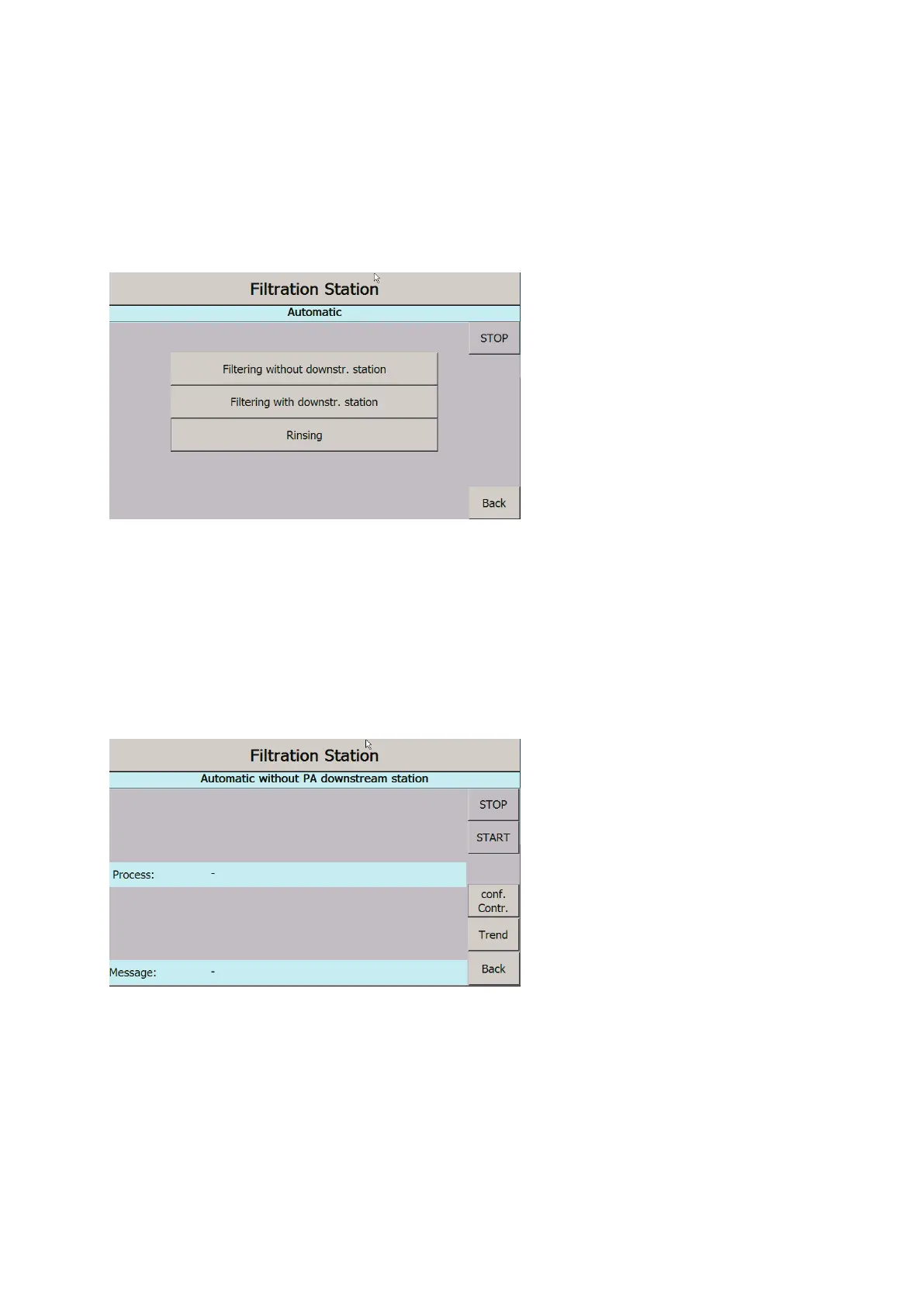
3. In the main menu, select the “Automatic” button.
4. Select the automatic mode as individual station “Without downstream PA station”, in combination with
other MPS-PA stations “With downstream PA station”, or the rinsing process
(see chapter 10.4 Sequence).
Figure 30: Automatic operating screen
Filter
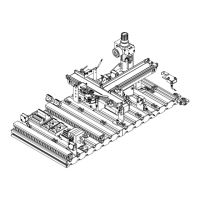
1. During the rinsing process: In the next screen, select a recipe. The metered quantities stored in the
program, i.e., the number and the filling time, are displayed.
2. During the rinsing process: In “Conf. controller”, check the control parameters.
3. Press the “Start” button to start the recipe (see chapter 10.4 Sequence, recipe sequence).
Figure 31: Automatic control screen, individual station


 To Next Page