Festo Controller CECC
50
4.10.5 Configuring an IO-Link device (CECC-LK and CECC-S)
Each of the specified controllers has an "IO-Link Device" interface for connecting to a higher-order IO-Link
master.
Note
To use the IO-Link interface you need the associated IODD file (not with CAPC).
• Download the IODD file for the CECC from the Festo Support Portal (www.festo.com
Support).
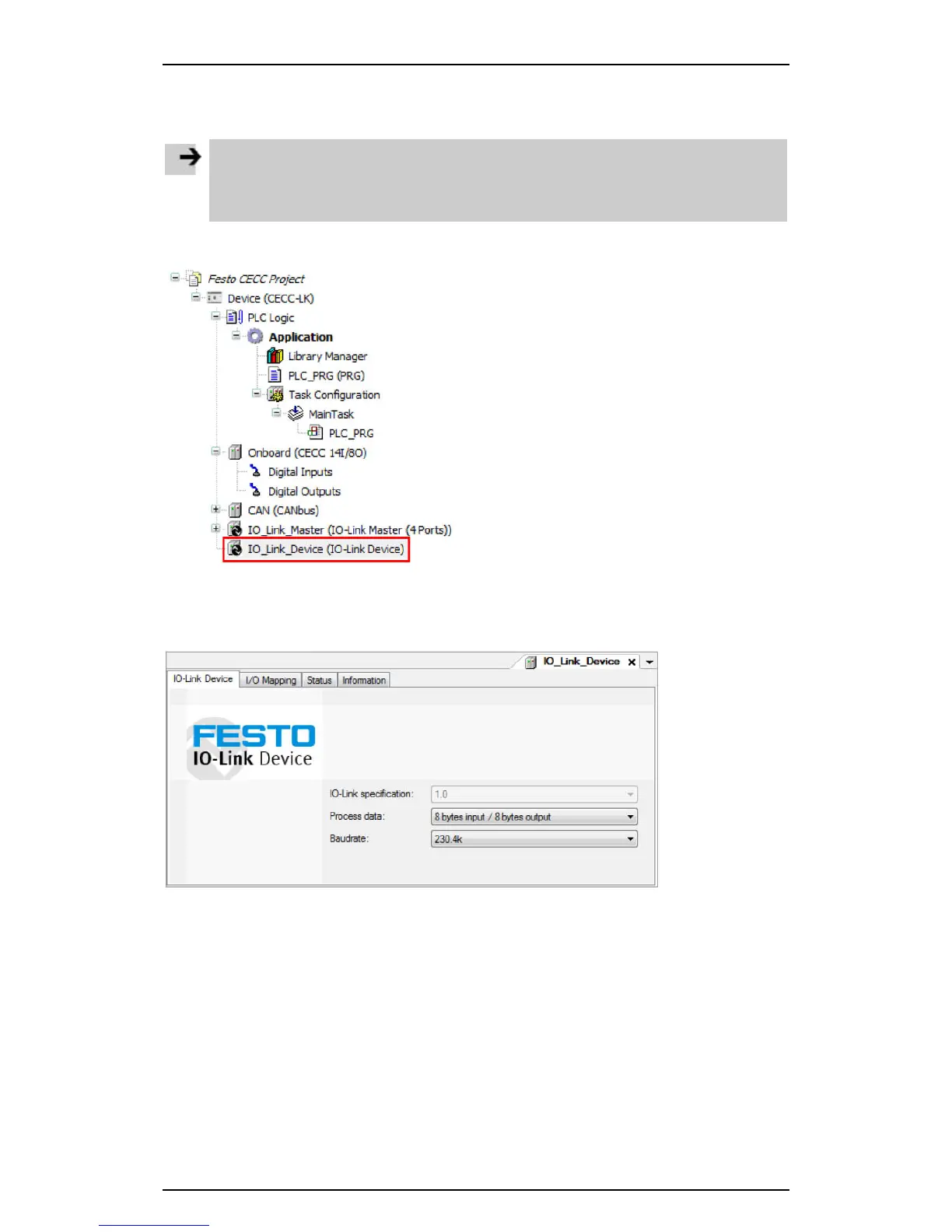
1. Highlight the "IO-Link Device" branch in the CODESYS V3 pbF device window.
Figure: Device window - selecting "IO-Link Device"
2. Open the context menu (right mouse button) and open the "Edit Object" dialog
or alternatively double-click the highlighted object.
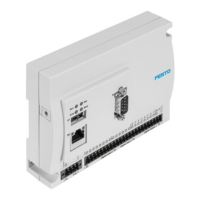
A new tab opens in the editing window for configuring the CECC as an IO-Link device.
Figure: Tab for configuring the CECC as an IO-Link device





 To Next Page