
 Need help?
Do you have a question about the Festo Controller CECC-S and is the answer not in the manual?
Crucial safety warnings and precautions for operation and maintenance.
Details on the CODESYS V3 pbF software for commissioning and programming.
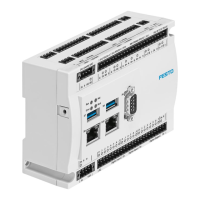
Identifies and describes the CECC's connection terminals and status LEDs.
Details the connection for the 24 V power supply to the CECC.
Overview of the CECC's various communication interfaces.
Description of the digital inputs and outputs interface.
Steps to prepare the PC and software for controller commissioning.
Initial steps for launching the programming software and creating a project.
Guide to creating a new project in CODESYS V3 pbF.
Process for selecting the correct CECC device and interfaces in the project.
Steps for configuring CANopen slaves for the controller.
Procedure to add a CANopen slave to the project configuration.
Detailed steps for configuring digital inputs and outputs.
Details on configuring RS232 serial interfaces.
Steps for integrating and configuring encoders.
Settings for encoder configuration, including type and polarity.
Steps for configuring RS422 serial interfaces.
Steps for configuring RS485 serial interfaces.
Setup for IO-Link master functionality on CECC controllers.
Configuration steps for an IO-Link device.
Configuring the CECC controller to act as an IO-Link device.
Setup for Modbus TCP communication between controllers.
Procedures for operating the controller in online mode.
Steps to log in to the CECC controller.
How to start and monitor the application running on the CECC.
 General
| Brand | Festo |
|---|---|
| Model | Controller CECC-S |
| Category | Controller |
| Language | English |




 To Next Page