1. Installation
1−16
Festo P.BE−CPX−FB38−EN en 0804NH
1.3.3 Network interface
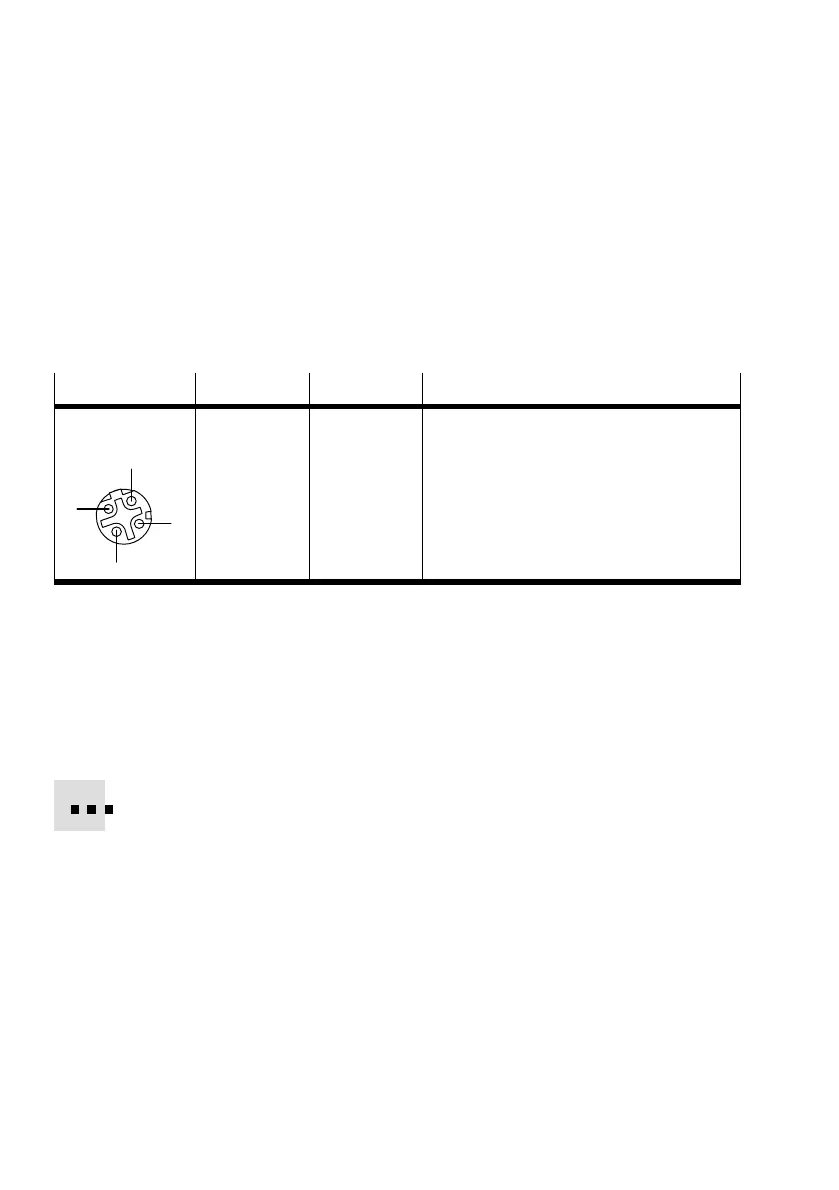
To connect to the network, there are two 4−pin M12 sockets
withD−coding on thebus nodeCPX−FB38 (for industrial
Ethernet use, corresponding to IEC61076−2−101). The sockets
are compatible with SPEEDCON
®
plugs.
Socket
Pin Signal Explanation
M12, D−coded
1
2
3
4
1
2
3
4
Housing
TD+
RD+
TD
RD
FE
Transmission data (Transmit Data, TD) +
Receive data (Receive Data, RD) +
Send data
Receive data
Shield/functional earth
(Shield/functional earth, FE)
Tab.1/4: Pin assignment of the network interface
1.3.4 Network connection
Connection with plug from Festo
Connect the CPX terminal to the network with Festo plugs
type NECU−M−S−D12G4−C2−ET. The plug is designed for
Ethernet lines with cable diameters of 6 Ū 8 mm.
To comply with protection class IP65/IP67:
Use Festo plugs.
Seal unused interfaces, see section 1.4.



 To Next Page