2. Commissioning
2−39
Festo P.BE−CPX−FB38−EN en 0804NH
1243
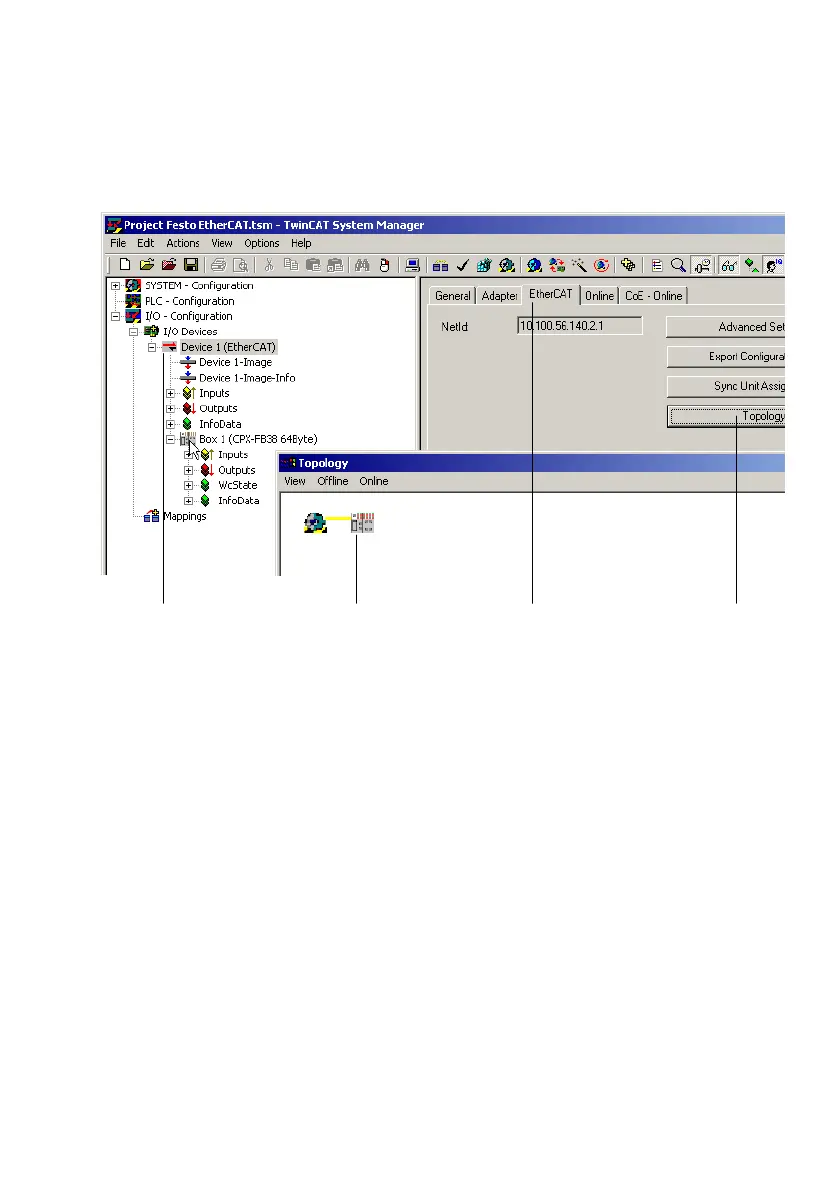
Fig.2/8: EtherCAT topology display
1. In TwinCAT System Manager, click on the device symbol of
the bus node 1 to display the device properties.
2. In the device properties windows, click on EtherCAT" 2
to open the EtherCAT tab.
3. Click on Topology" 3:
A separate window displays the topology of the EtherCAT
network and the Devices" and
Boxes", e.g. the CPX bus
node and the corresponding CPX terminal 4.



 To Next Page