33
Radio Uconnect
❒ When the system asks a question,
wait one second before answering,
to make sure that voice recognition
is active.
❒ If you want to say a command
without waiting for the system to
finish its message or question, you
can briefly press the
}
button
again to interrupt the system and
say your command.
❒ Speak at your normal speaking
volume.
❒ Say the words clearly, not too fast
but without breaks.
❒ If possible, try to reduce the noise
in the passenger compartment to a
minimum.
❒ Before saying the voice commands,
ask your travelling companions to
stop talking. As the system
recognises words regardless of who
is speaking, if several people are
talking simultaneously, the system
may recognise words other than or
in addition to those spoken.
❒ For optimal operation, we
recommend closing the sunroof on
your car, if it has one.
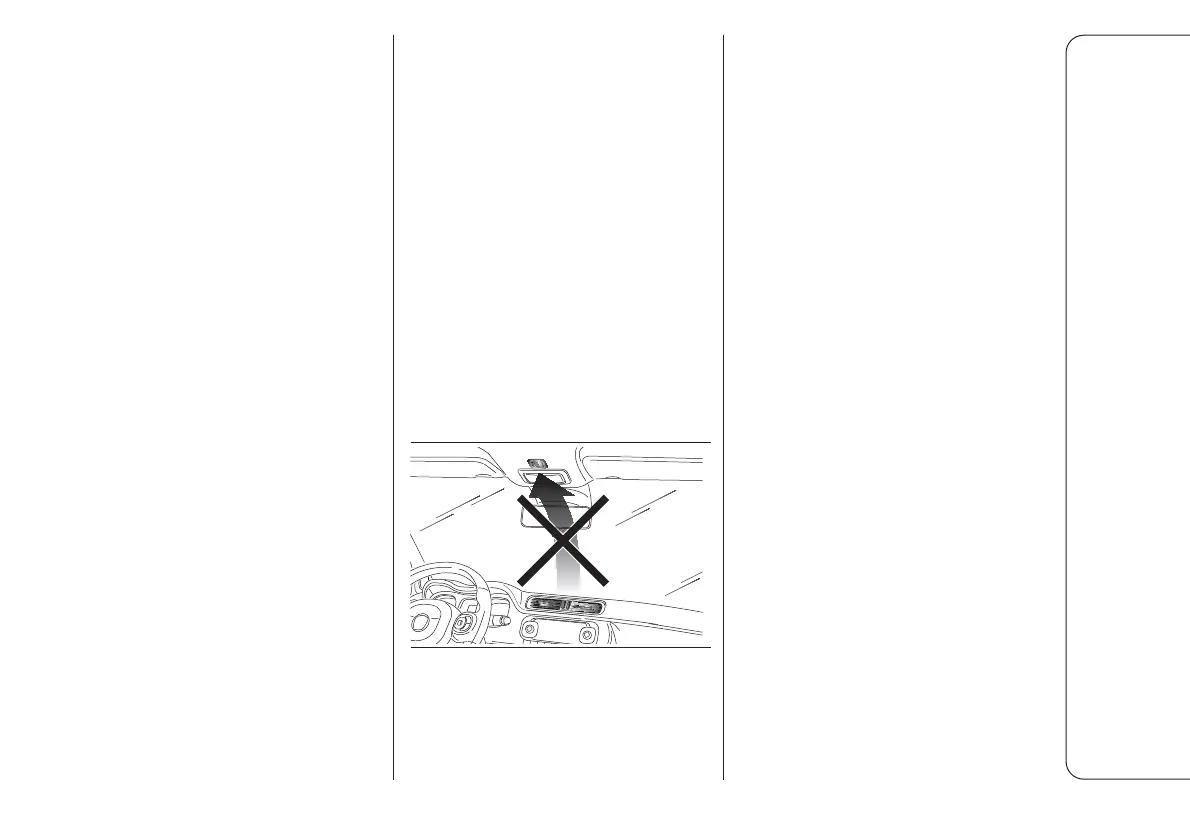
NOTE We recommend not directing the
central air vents towards the
microphone as the noise of the air on
the microphone could worsen voice
command performance.
4
F1D0999
PREPARING YOUR
MOBILE PHONE
PHONEBOOK
Before pairing your mobile phone with
the system, make sure that you have
saved the names you want to contact
in the mobile phone contacts. This will
allow you to call them using the car
hands-free system.
If your phonebook does not contain
any names, enter new names for the
most frequently used numbers. Refer
to the user manual for your mobile
phone for further information about
this.
ADVANCED AUDIO
DISTRIBUTION PROFILE
(A2DP)
This profile defines the multimedia
audio transmission mode between a
device and a radio system.
The following commands are available
for the A2DP profile: PLAY song,
PAUSE song, NEXT and PREVIOUS
song using the radio and steering
wheel buttons.



 To Next Page