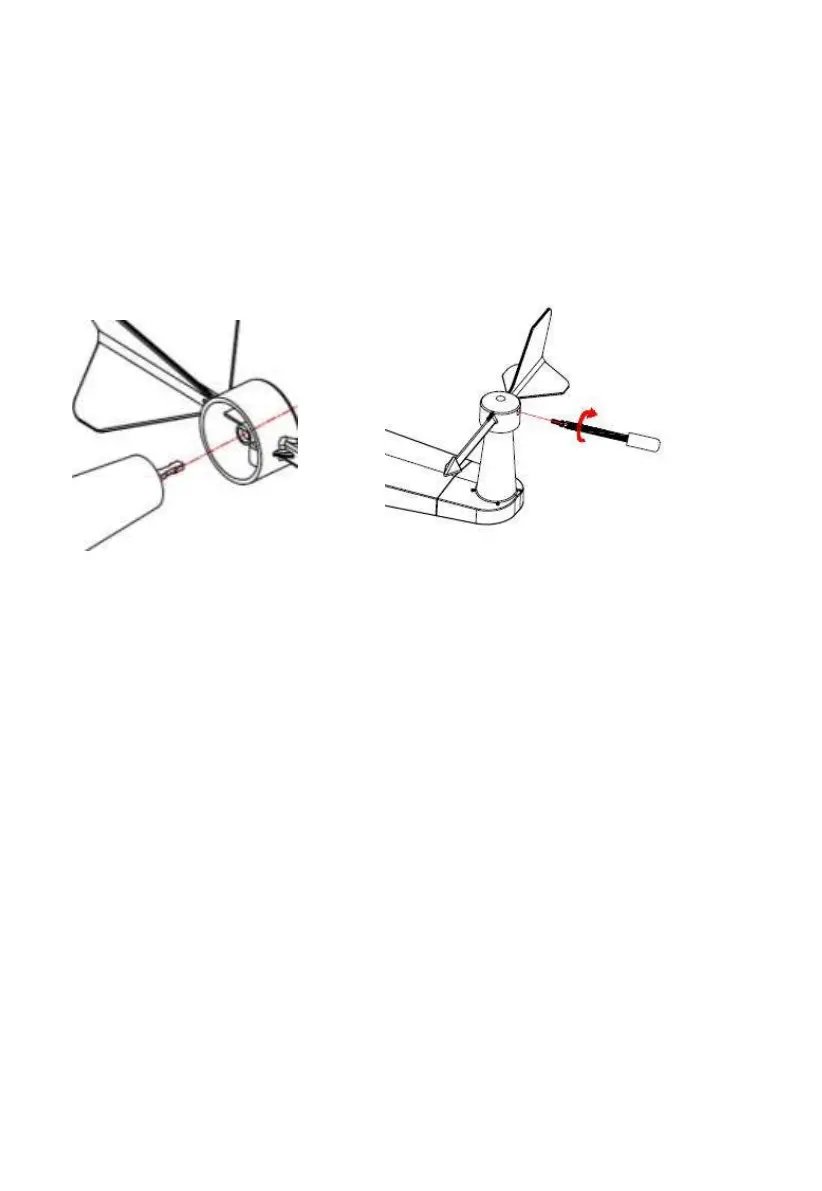
5.3.2 Install wind vane
Push the wind vane onto the shaft on the top side of the sensor package, until
it goes no further, tighten the set screw, with a Philips screwdriver (size PH0).
Make sure the wind vane can rotate freely. The wind vane’s movement has a
small amount of friction, which is helpful in providing steady wind direction
measurements.
Figure 5: Wind vane installation diagram
The wind direction section on the main unit display shows the letters N
(North), E (East), S (South) and W (West). The integrated wireless
sensor must be oriented so that the arrow marked “North” on the top
of the wireless sensor is pointing north. If the integrated wireless
sensor is oriented incorrectly, wind direction measurement will be
inaccurate.
5.3.3 Install wind speed cups
Push the wind speed cup assembly onto the shaft on the top side of the sensor
package, Tighten the set screw, with a Philips screwdriver (size PH0). Make
sure the cup assembly can rotate freely. There should be no noticeable friction
when it is turning.



 To Next Page