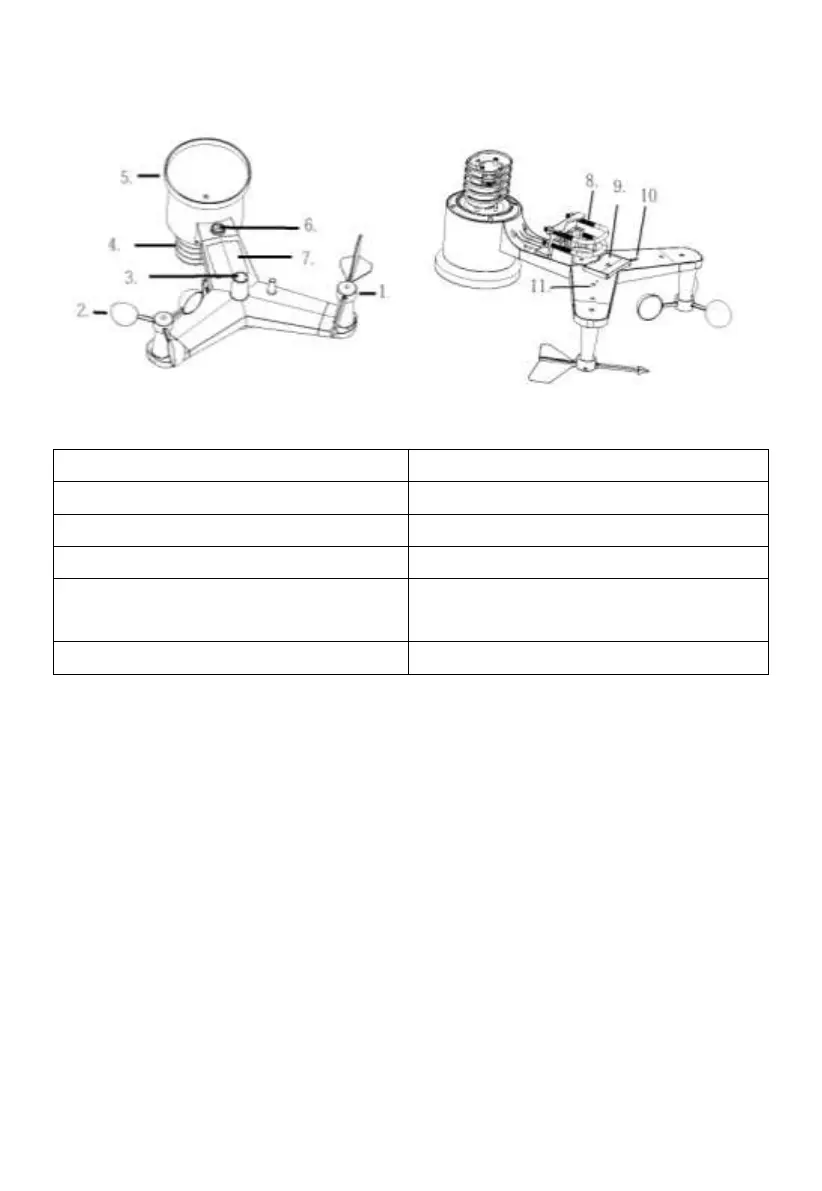
4.3 Outdoor sensor:
Figure 3: Sensor assembly components
3 Light sensor and UV sensor
9 Battery compartment door
4 Thermo- and hygro-meter senor
11 LED (red) to indicate data
transmission
Table: Sensor assembly detailed items
4.4 Optional sensor
The following optional sensors (purchased separately) can be used with
HP2550 console display.
If you have purchase extra sensors, just simple power up, the display console
will receives the data automatically. If sensor not reporting in to console, the
display console will re-search the data after one hour or restart the console to
search the data. Please refer to the sensor manual (provided separately with
sensor) for details.
This table shows the maximum number of each type of sensor that can be
worked with console display



 To Next Page