5.5 Multi-channel temperature and humidity sensor
(Optional)
The HP2550 supports up to 8 additional thermo-hygrometer sensors (WH31),
which can be viewed on the display tablet and Internet.
Note: Do not use rechargeable batteries. We recommend fresh alkaline
batteries for outdoor temperature ranges between -10 °C and 60 °C and fresh
lithium batteries for outdoor temperature ranges between -40 °C and -10 °C.
5.5.1 Install batteries
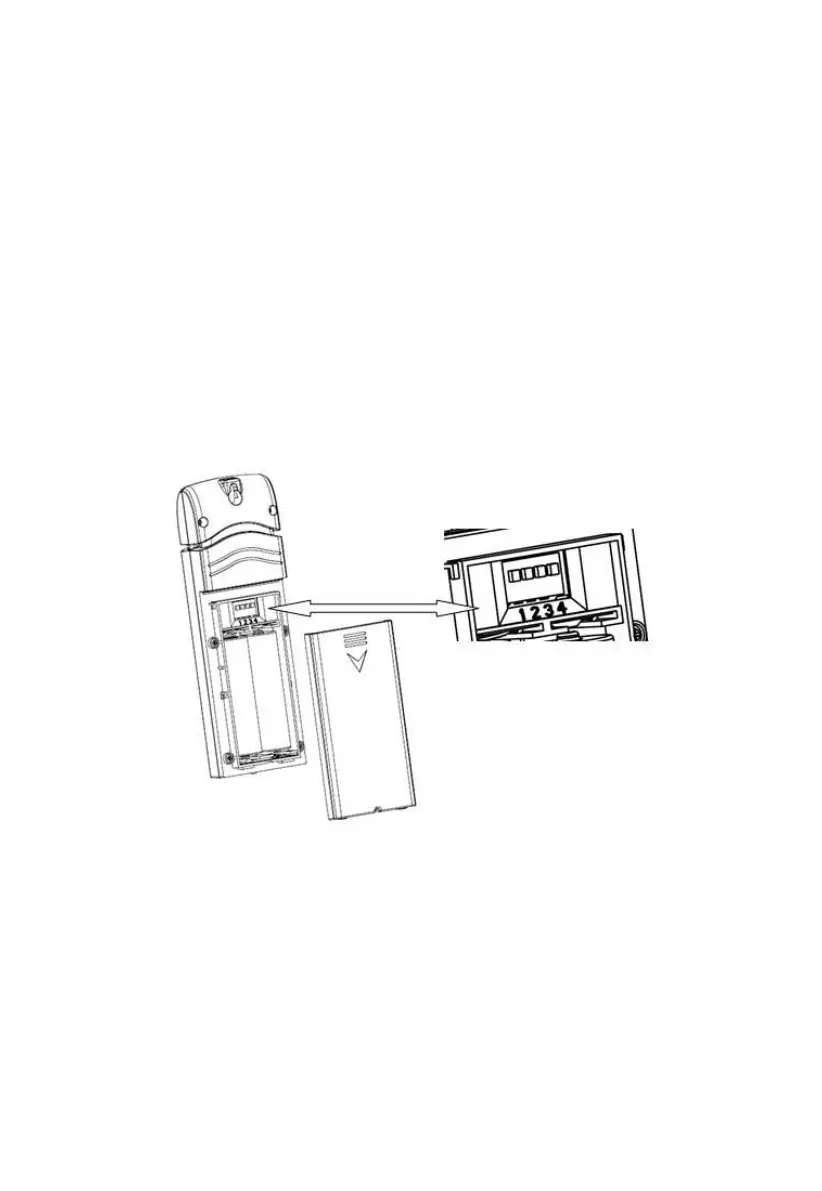
1. Remove the battery door on the back of the transmitter(s) by sliding
down the battery door, as shown in Figure 2 .
Figure 12: Battery installation for Multi-channel sensor
2. BEFORE inserting the batteries, locate the dip switches on the
inside cover of the lid of the transmitter.
3. Channel Number: The device supports up to eight sensors. To set
each channel number change Dip Switches 1, 2 and 3, as
referenced in Figure .
4. Temperature Units of Measure: To change the transmitter display
units of measure (°F vs. °C), change Dip Switch 4, as referenced in



 To Next Page