Figure .
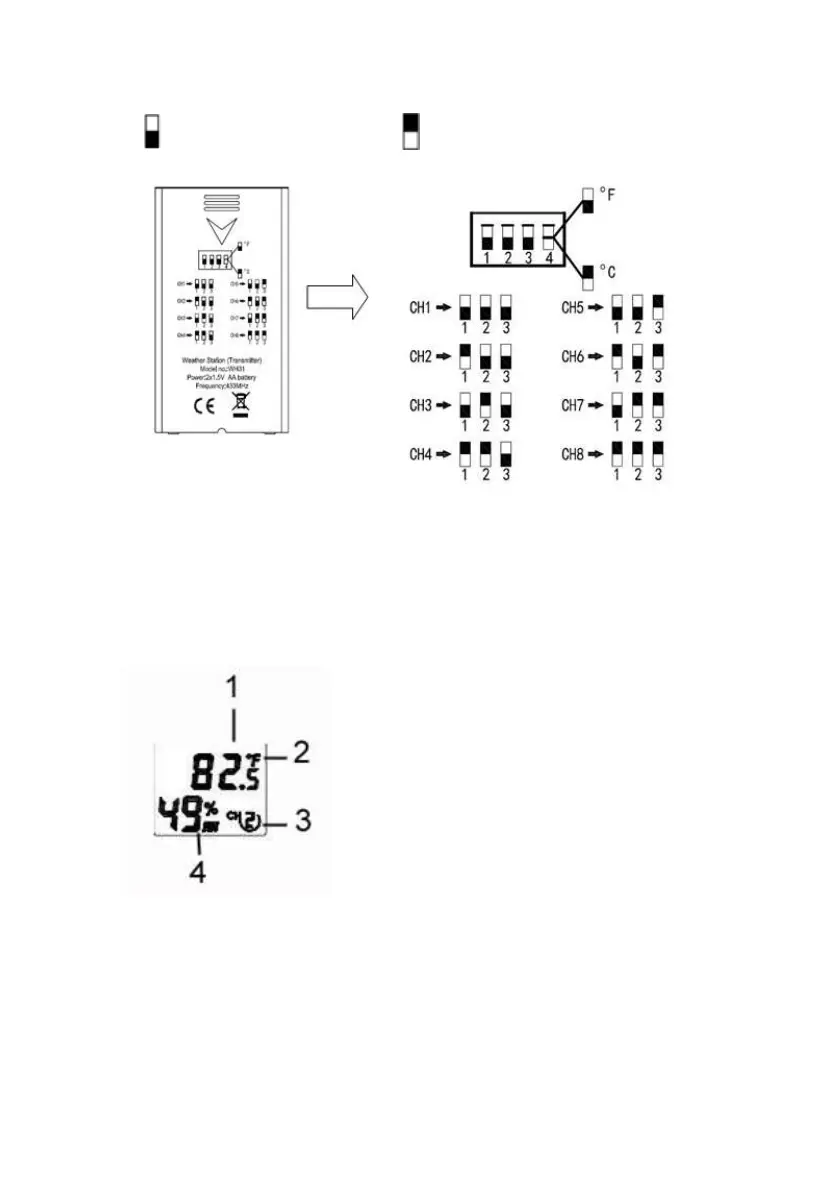
Switch in down position. Switch in up position.
Figure 13: Dip Switch diagram
5. Insert two AA batteries.
6. Verify the correct channel number (CH) and temperature units of
measure (°F vs. °C) are on the display, as shown in
7.
8. Figure .
(1) temperature
(2) temperature units (°F vs. °C)
(3) channel number
(4) relative humidity
Figure 14: sensor LCD display
9. Close the battery door.



 To Next Page