③ Click Send Validation Email (4). Respond to the validation email from
Wunderground.com (it may take a few minutes).
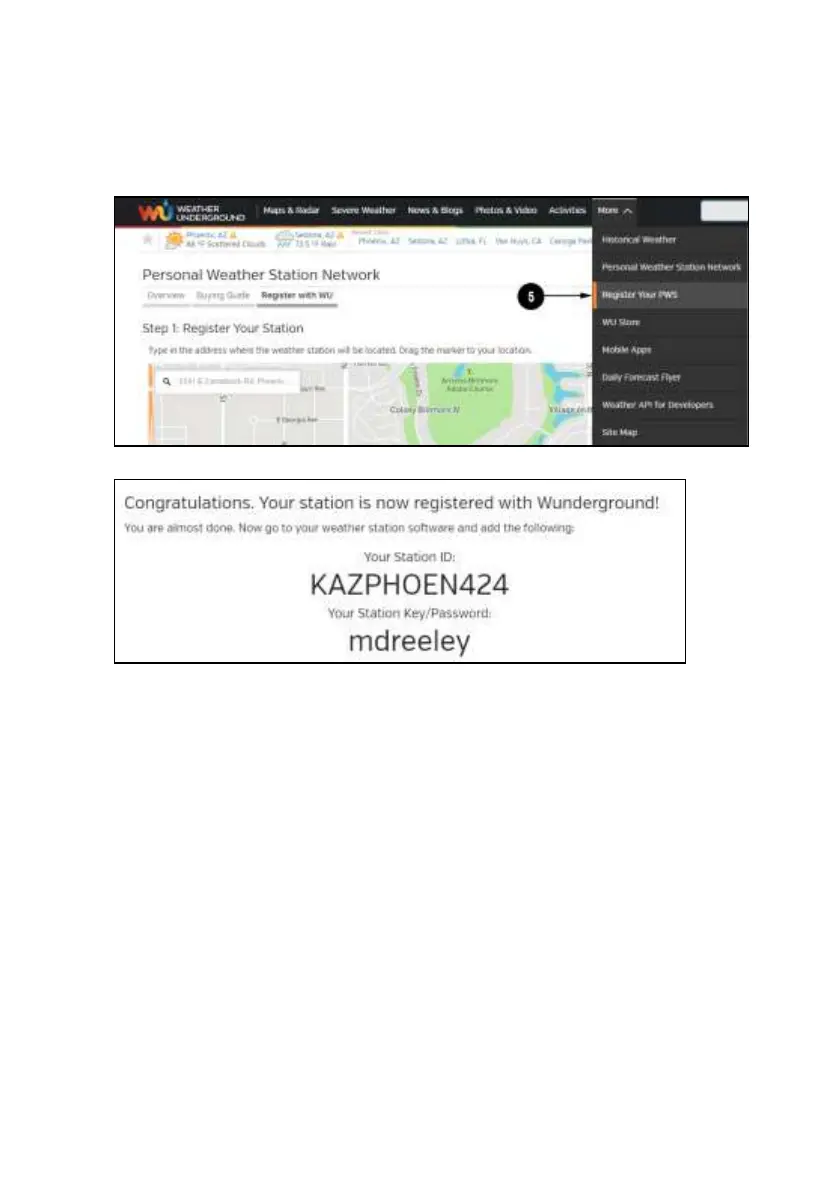
④ Select More | Register Your PWS (5) again. This time you will be
asked details about your weather station. Go ahead and fill out the form
After completing the weather station, you will see something like this:
Your station ID will have the form: KSSCCCC###, where K is for USA
station (I for international), SS is your state, CCCC is an abbreviation for
your city and ### is the station number in that city. In the example above,
you see station 424 in the state of Arizona (AZ) in the United States (K).
⑤ Take note of the station ID and key/password and enter it in the Weather
Server:



 To Next Page