EQUIPMENT: FIRECLASS DUO -CEL WRITTEN BY: RKP
PUBLICATION: OM_FC_DUO-CEL_INST CHECKED BY: AP
ISSUE No. & DATE: 0 01/03/12
PAGE 29 of 29
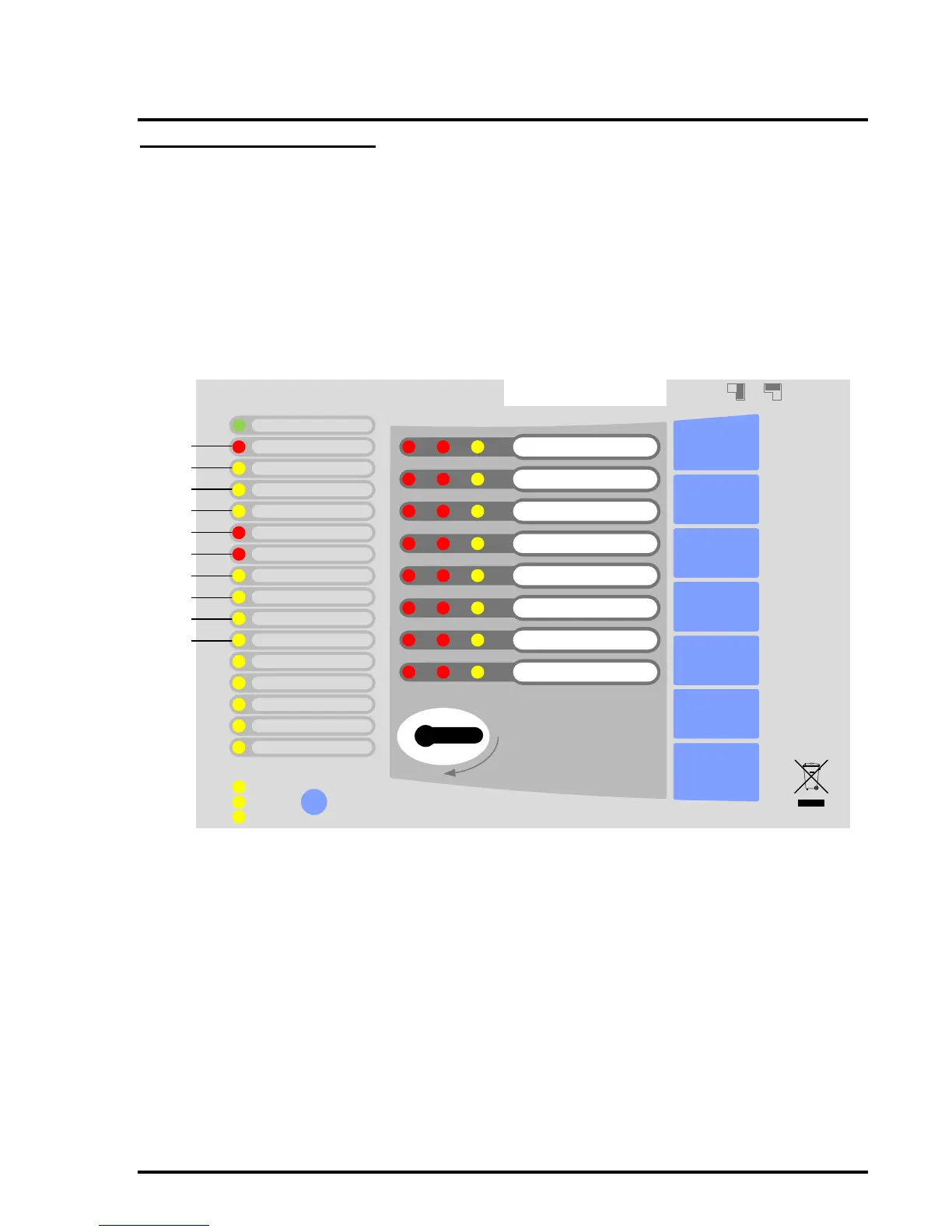
14. Alarm Count Display
The Alarm count can be displayed by pressing the
DISABLE button with the controls locked. The count
is displayed on the general LED indicators as a
binary count starting on the General Fire LED and
going down to the PSU Fault LED. The values for
each LED illuminated can be added up to give the
total count, which can be from 0 to 1023. The count
can be reset at any time by pressing the Alarm
Count Reset button, which is only accessible when
the front cover is removed.
NOTE: The Alarm Count Reset function is only
accessible at access level 4, i.e. this function
should only be operated by persons trained and
authorized by the manufacturer either to repair the
CIE (control & indicating equipment), or to alter its
firmware, thereby changing its basic mode of
operation.
Figure 15 – Alarm Count LED assignment



 To Previous Page