In the case of FW UPGRADE of the control panel, at the
end of the FW upgrade process, the panel will start the pro-
cedure "Language strings download via USB key at the first
panel power-up, (see figure 8 ) in order to allow the load
again the right version of the required language.
ENGLISH 21
Fc501 Panel lev.3 : PROGRAM
access level
If blinking
the panel works
properly
Panel Status
Types of activities
1=Load AUDIO 2=Save AUDIO 3=Load PROG
USB actions
4=Save PROG 5=FW Upgrade 6=Save LOG
0=Extra
Fc501 Panel lev.3 : PROGRAM
Choice of Language
1=load first lang.
2=load second lang.
ESC
1
ABC
2
DEF
o
USB File
OK
Gathering information
RUNNING
USB FC501
Go to select language
to change page
FRANCAIS
PORTUGUESE
wait please
USB FC501
FAILED
CORRUPTED FILE
USB File
TROUBLE
ESPANOL >>> [ ]ESPANOL
ESC
PAGE for
SELECT THE LANGUAGE
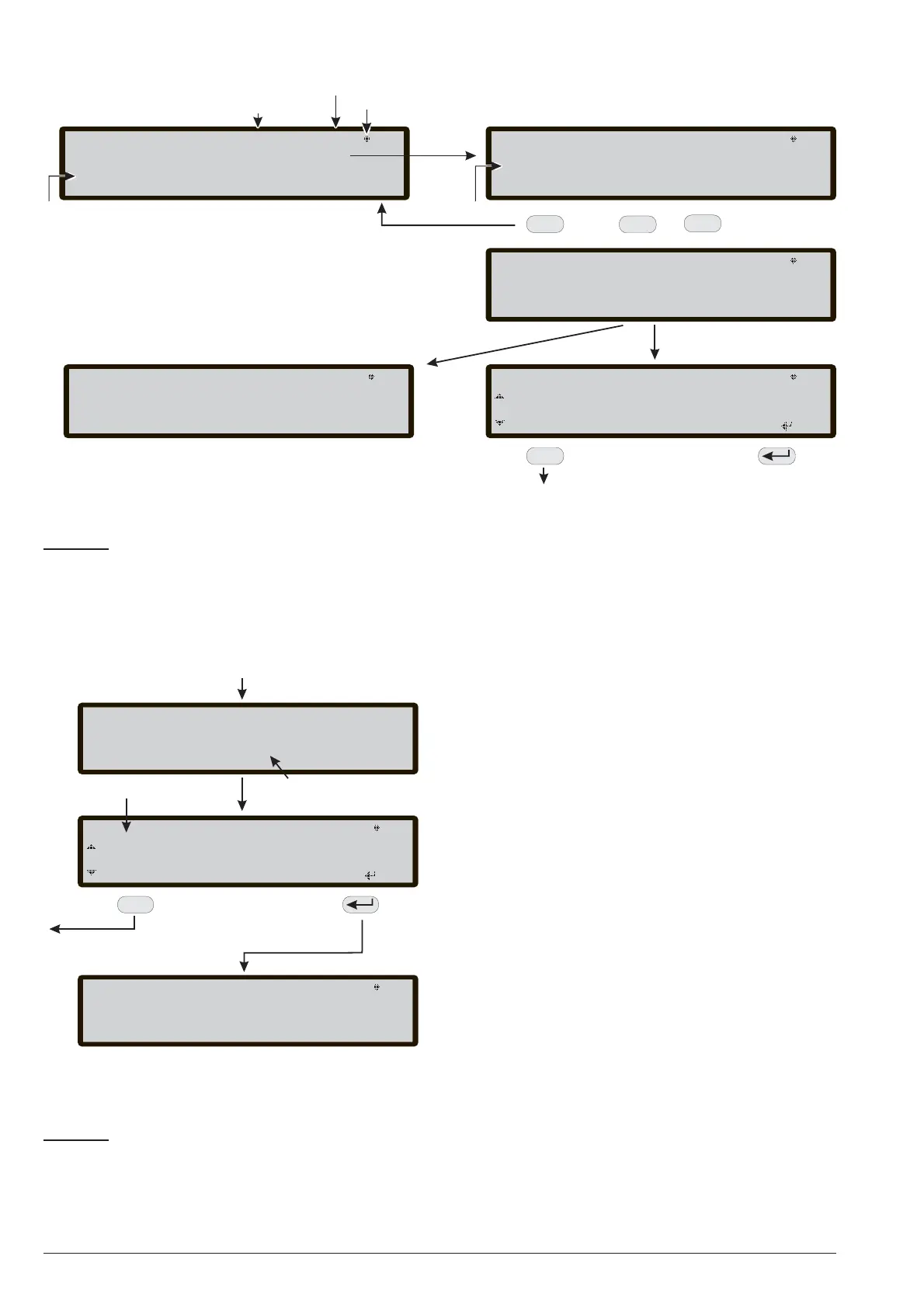
Figure 7 The scheme in the figure displays the LCD pages sequence required by this feature: "Language strings
download during panel run time"
Animation
_
USB FC501
Go to the native
languages
selection page
FRANCAIS
PORTUGUESE
List of languages In the USB
memory stick
>>> [ ]ESPANOL ESPANOL
ESC
USB FC501
>>> [ ESPA------- ]ESPANOL
40%
NOTE: at the end of this process the initial
configuration steps (front page) will continue.
If the language strings transfer process, from
USB to panel, fails a fault page is displayed
and the native Italian language is restored
POWER ON
ESC
_
_
_
_
_
_
_
_
_
_
_
LANGUAGE LIST WAITING PAGE
Figure 8 This figure displays the LCD page sequence
required by feature: "Language strings download via
USB key at the first panel power-up" (USB memory
stick inserted and correct language file present)



 To Next Page