7. Supervision
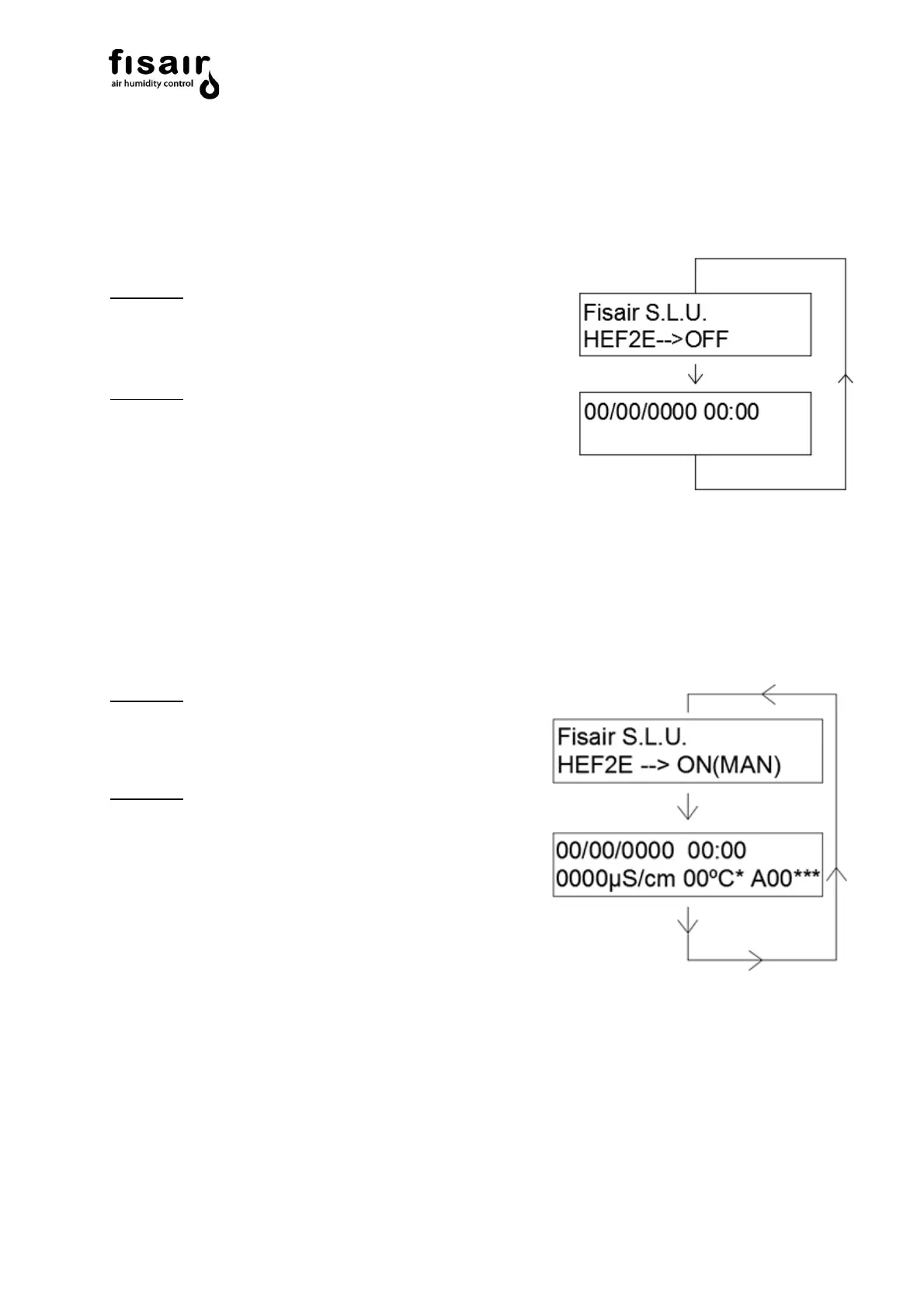
START: This is the main screen that appears once the equipment is powered by the disconnector
(I1) which shows the following information through 2 screens that alternate continuously:
Screen 1:
❖ Name of the Company: FISAIR, S.L.U
❖ Status indication: HEF2E → OFF
Screen 2:
❖ Date: 01/01/2019
❖ Time: 21:00
To start the device, select either of the two available configuration modes, manual (MAN) or
automatic (AUTO):
MAN: Select manual mode (MAN) from the command and display to enter that mode. The following
information is shown on the Display through 2 screens that alternate continuously.
Screen 1:
❖ Name of the Company: FISAIR, S.L.U.
❖ Status indication: HEF2E→ ON (MAN)
Screen 2:
❖ Date: 01/01/2019
❖ Time: 21:00
❖ Conductivity value and water temperature
(µS/cm). * In the case of having conductivity
Control.
*** If there is a fault, an alarm code is shown on the second line of the display; see section 10
“Alarms” for more information.


 To Next Page