10
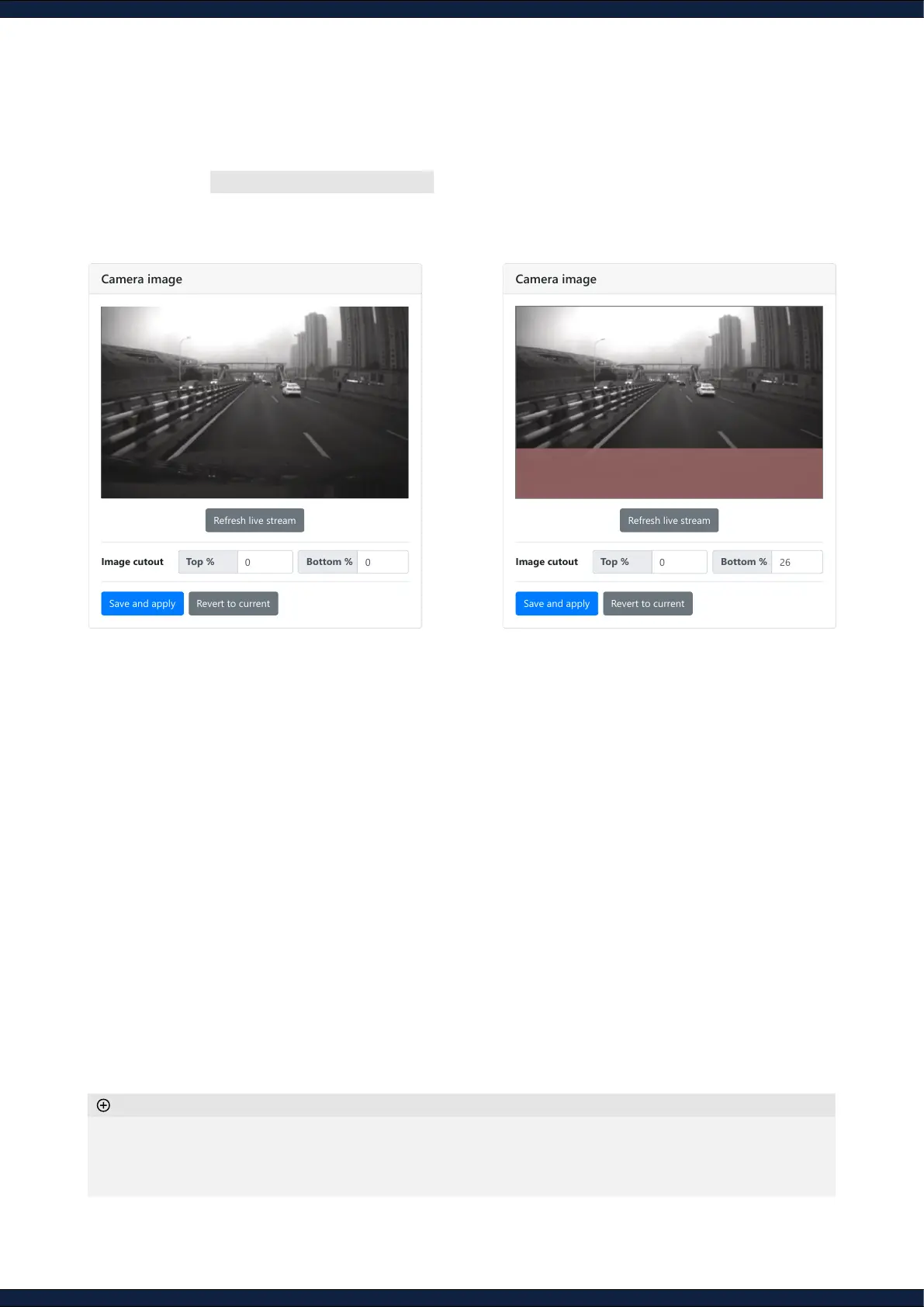
Step 8: Check camera view
1. Navigate to Configuration ↪ Camera
2. Ensure that feature-sparse regions and static objects (e.g., vehicle’s structure) are cropped
from the image
◦ The auto-exposure of the camera is affected by the crop mask
◦ The sensor can look forwards or backwards
◦ Employ an external lighting source if working in low-lighting conditions
Additional information
Camera Configuration
Camera image
Image cutout
Refresh live stream
Top %
Save and apply Revert to current
Camera Configuration
Camera image
Image cutout
Refresh live stream
Top %
Save and apply Revert to current



 To Next Page