12
Step 10: Calibrate the IMU
The Vision-RTK 2 requires a start-up procedure before being fully operational. The user must
ensure the following requirements are fullled to start the calibration procedure:
1. Ensure both receivers obtain RTK xed status
2. Start the Fusion engine, and ensure extrinsics are correct
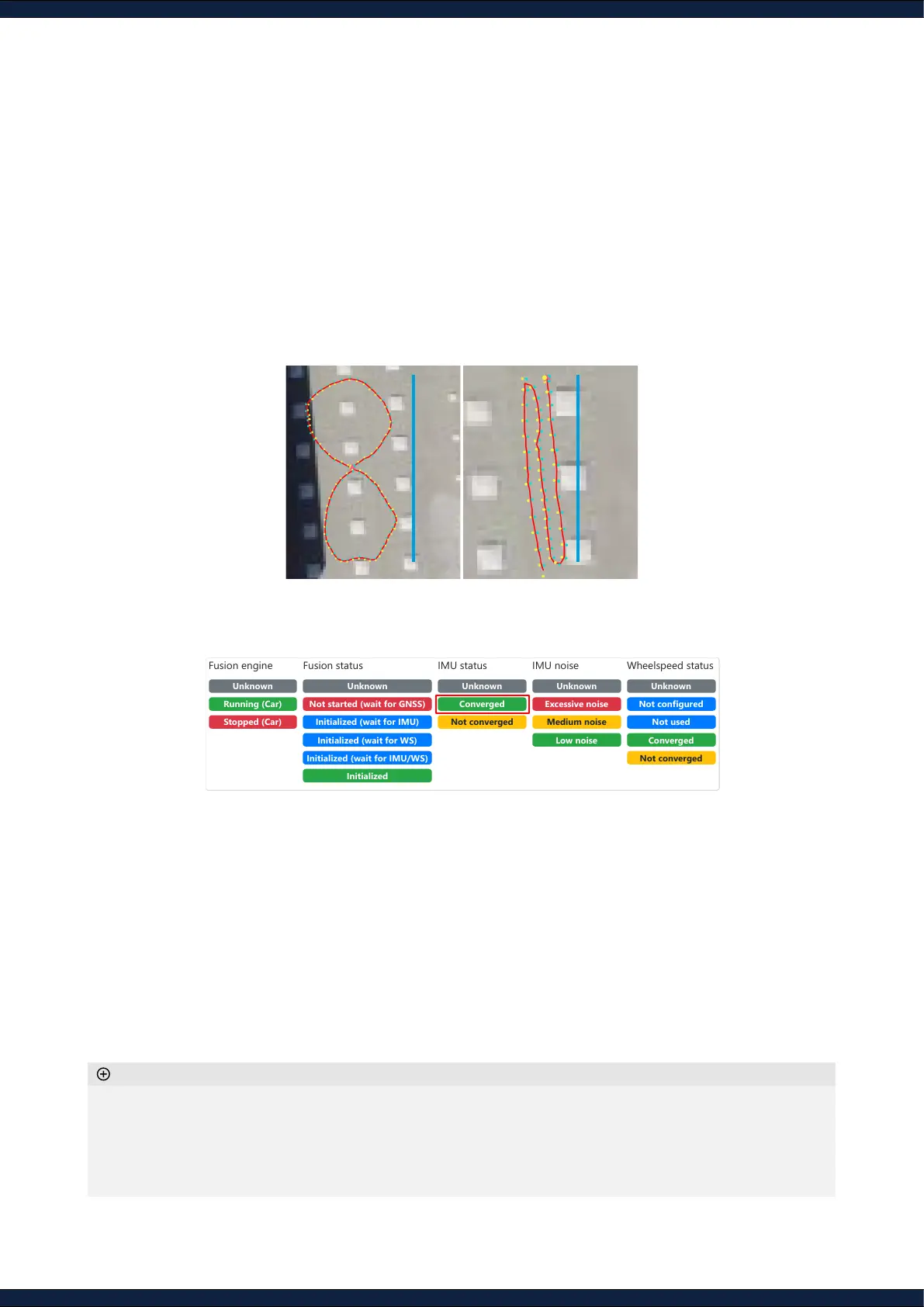
3. Move the sensor under RTK xed status with some dynamic motion
▪ Move in the shape of eight roughly sized at 10m
▪ Move back-and-forth a few times over a stretch of 10m
◦ After converging, the IMU biases will be saved to be used on the next initialization procedure. Thus, the
calibration will be signicantly faster
◦ The IMU biases will continue to be estimated any time the sensor is under
”RTK xed”
◦ IMU’s
“Excessive noise”
only indicates that the measurements present signicant mechanical vibrations;
however, this is not necessarily noise (e.g., moving on rocky terrain)
Additional information
Not started (wait for GNSS)
Initialized (wait for IMU)
Initialized (wait for WS)
Initialized (wait for IMU/WS)
Output StdDev
Position
n/a n/a
n/a n/a
n/a n/a
Orientation
n/a
n/a
n/a
Velocity (2d) n/a
Fusion
GNSS 1
GNSS 2
Velocity
Downsample Traces
Limit Points Plotted
Plot Line
Leaflet | Map data © OpenStreetMap, Imagery © Mapbox
10 m 10 m
4. Calibrate until IMU biases are converged (
IMU status
must show
“Converged”
)



 To Next Page