7
Step 5: Congure the Fusion engine
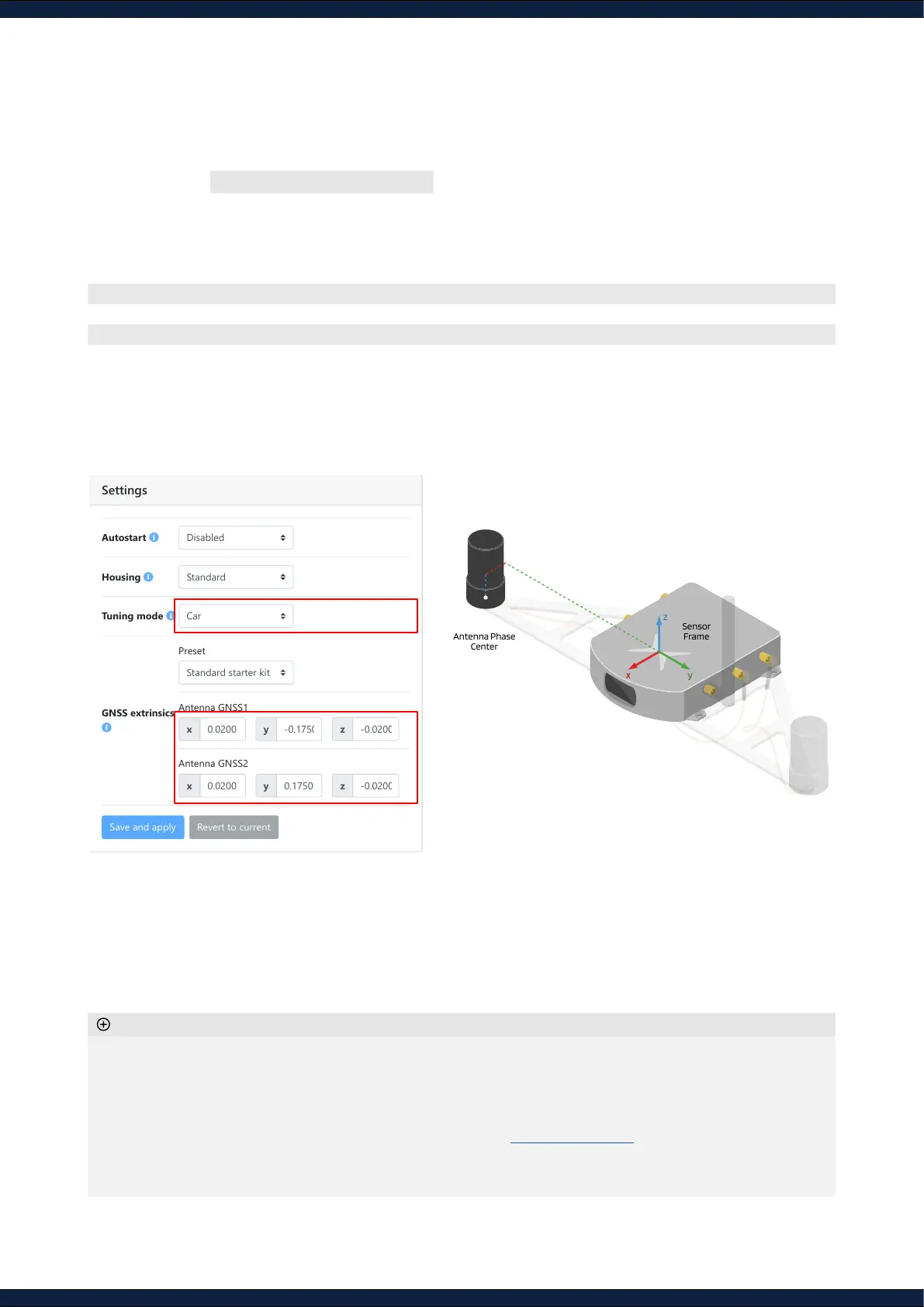
1. Navigate to Configuration ↪ Fusion
2. Select the tuning mode based on the following table
3. Set the GNSS antenna extrinsics within millimeter accuracy
◦ Enabling wheel-speed sensor is recommended for optimal performance
◦ If using the Starter Kit, select the
Standard Starter Kit
preset to retrieve the extrinsics
◦ The
Autostart
option enables the Fusion Engine to initialize automatically on system boot-up
◦ If the baseline check error pop-up appears, please verify your GNSS extrinsics and check that the selected
base-station is closer than 25km (refer to
Section 5.13
of the Integration manual)
◦ The GNSS extrinsics are set relative to the ‘X’ on the sensor
◦ The antenna reference point refers to its phase center (see antenna datasheet)
Additional information
Mode Application
v
range
ω
Range
Generic Default mode that covers most platforms’ dynamics ± 3 m/s ± 1.5 rad/s
Slow robot Dynamics similar to that of a slow-moving robot ± 3 m/s ± 0.5 rad/s
Lawnmower Dynamics similar to that of a lawnmower ± 3 m/s ± 1.0 rad/s
Car Dynamics similar to that of a passenger car ± 22 m/s ± 0.5 rad/s
Sensor
Frame
x y
z
Antenna Phase
Center
Fusion Configuration
Settings
Autostart
Housing
Tuning mode
GNSS extrinsics
Status Configuration System
2
3



 To Next Page