Dreamer NX User Guide | www.flashforge.com
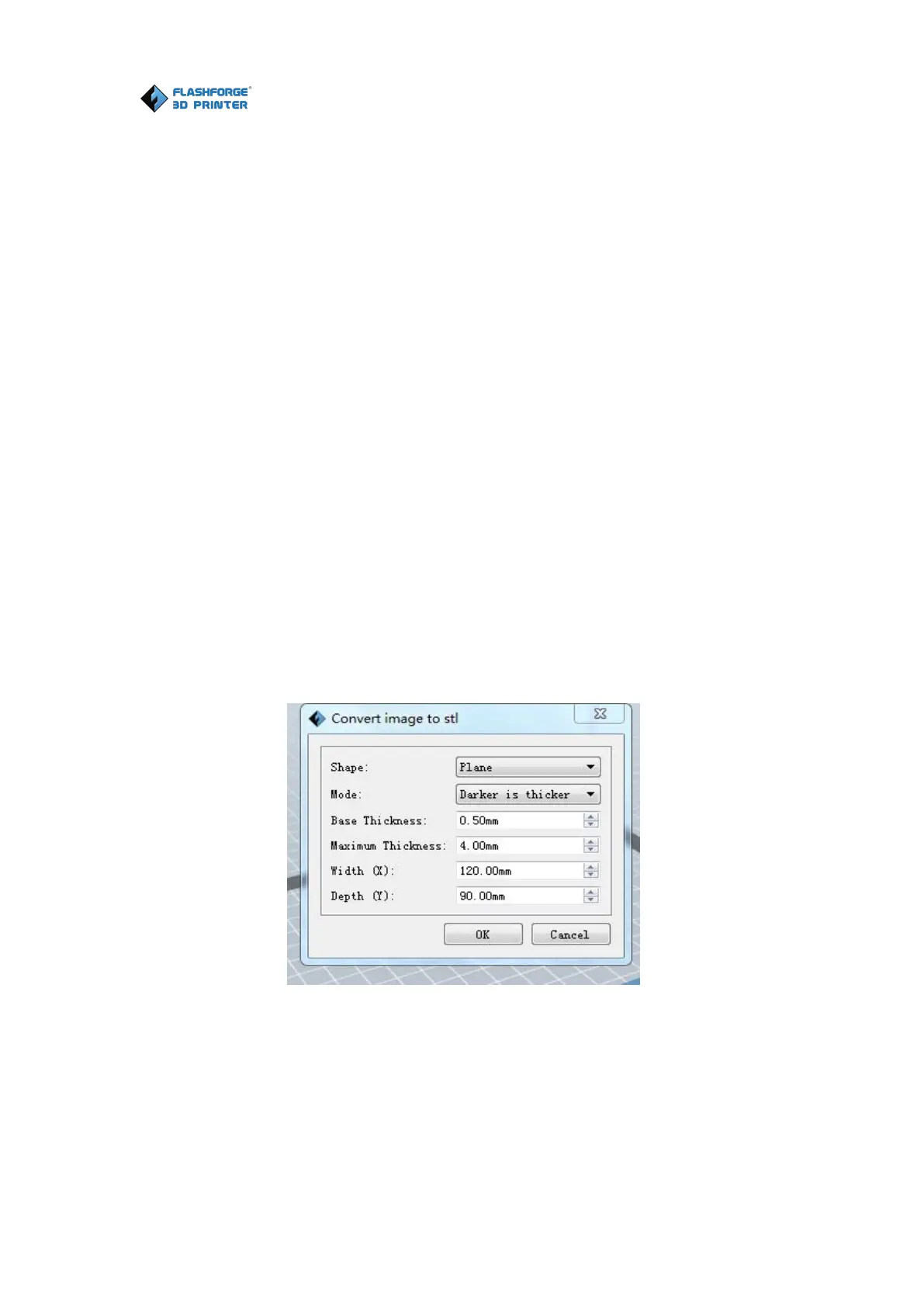
Load a .png, .jpg, .jpeg or .bmp picture file into the FlashPrint. And the
following dialogue box(6-4) will pop up. The setting box includes settings for
shape, mode, maximum thickness, base thickness, bottom thickness, width,
height, top diameter and bottom diameter.
Shape: including plane, tube, canister and lamp.
Mode: including “darker is higher” and “lighter is higher”.
Maximum thickness: Z value of the model
Base thickness: The minimum raft thickness and the default value is 0.5mm
Width: X value of the model
Depth: Y value of the model
Bottom thickness: For tube, canister, lamp and seal to set up bottom
Top diameter: For tube, canister, lamp and seal to set up the top diameter
Bottom diameter: For tube, canister, lamp and seal to set up the bottom















 To Next Page