Dreamer NX User Guide | www.flashforge.com
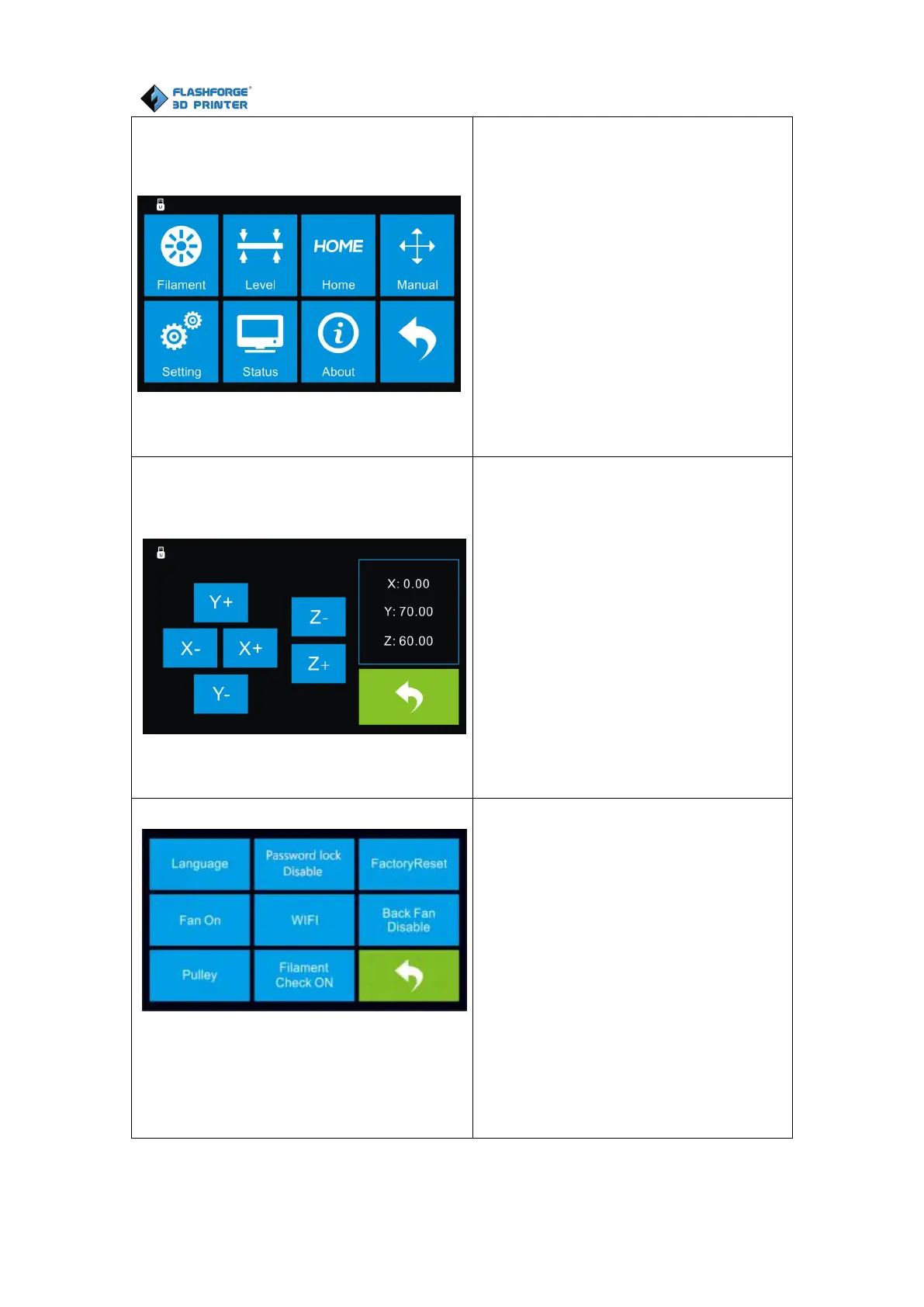
Tap [Tool] to enter tool options.
Filament: To load/unload the
filament.
Level: To adjust the build plate.
Home: To make the X, Y and Z axes
back to the zero point.
Manual: To manually adjust the
positions of X, Y and Z axes.
Setting: To implement relevant
function setups.
Status: To check the real-time
status of the printer.
About: Information about the printer.
Back
Manual adjustment
Y+: The extruder moves to the zero
point, that is, the back of the
machine
Y-: The extruder moves to the
direction opposite to the Y+.
X+: The extruder moves to the zero
points, that is, to the right direction
X-: The extruder moves to the
direction opposite to the X+.
Z+: The build plate elevates.
Z-: The build plate descends.
Back
Tap [Setting] to enter the setting
interface
Language: To set the display
language
TP Adjust: Adjust the touch screen
Factory Reset: Restore factory
defaults
Fan on: To turn on/off the fan
WiFi: To turn on/off the WiFi
Update: To update the firmware
Pulley: To choose the pulley type
Enable filament detector: To
enable or disable filament detector.
Back















 To Next Page