2.4 Installing the Screen
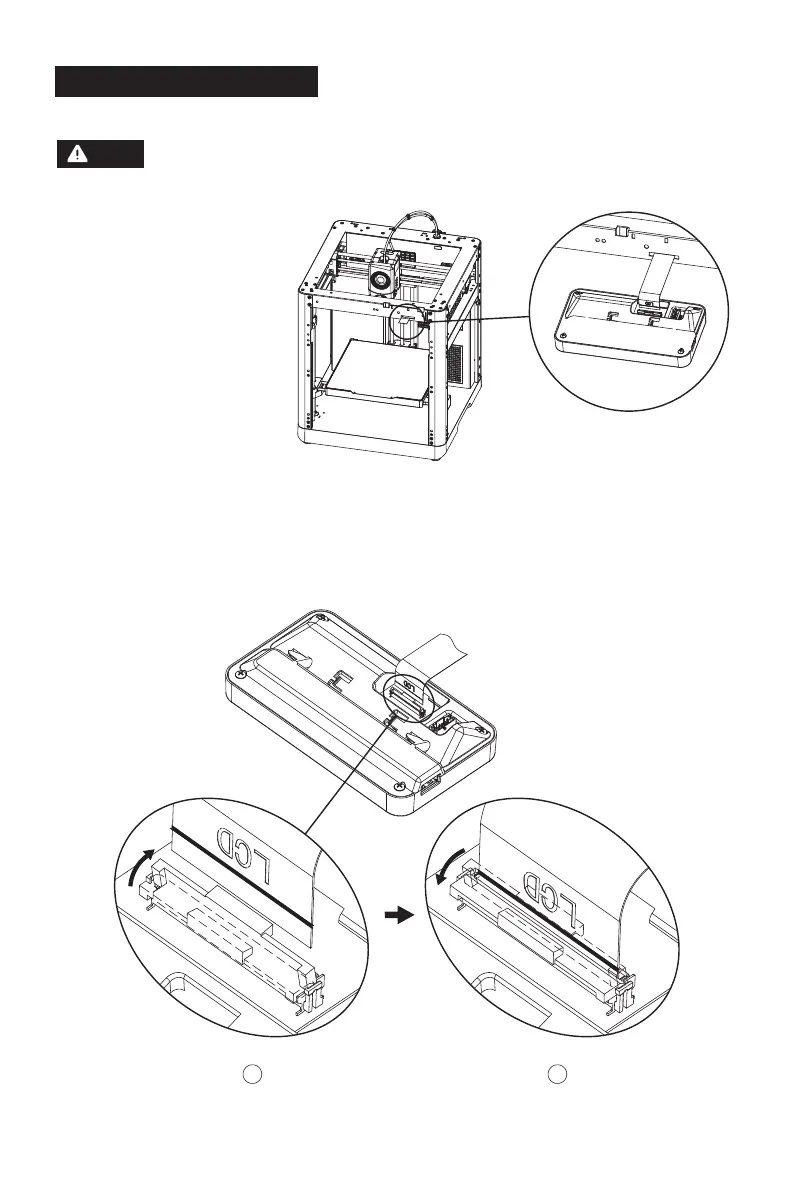
1. As shown in the picture,
insert the screen cable
into the screen connector.
a. Lift the buckle on the screen's cable socket to the indicated position (Fig. ①), then insert the
screen cable into the socket connector. Note: Ensure proper insertion and check alignment
of the indicator line with socket.
b. Press down the buckle on the cable socket to the indicated position according to the arrow
direction (Fig. ②).
1
2
Before installation, please remove the tape of the screen cable. Tear it off gently to
avoid damaging the cable.
Note
11















 To Next Page