4.2 Network Connection
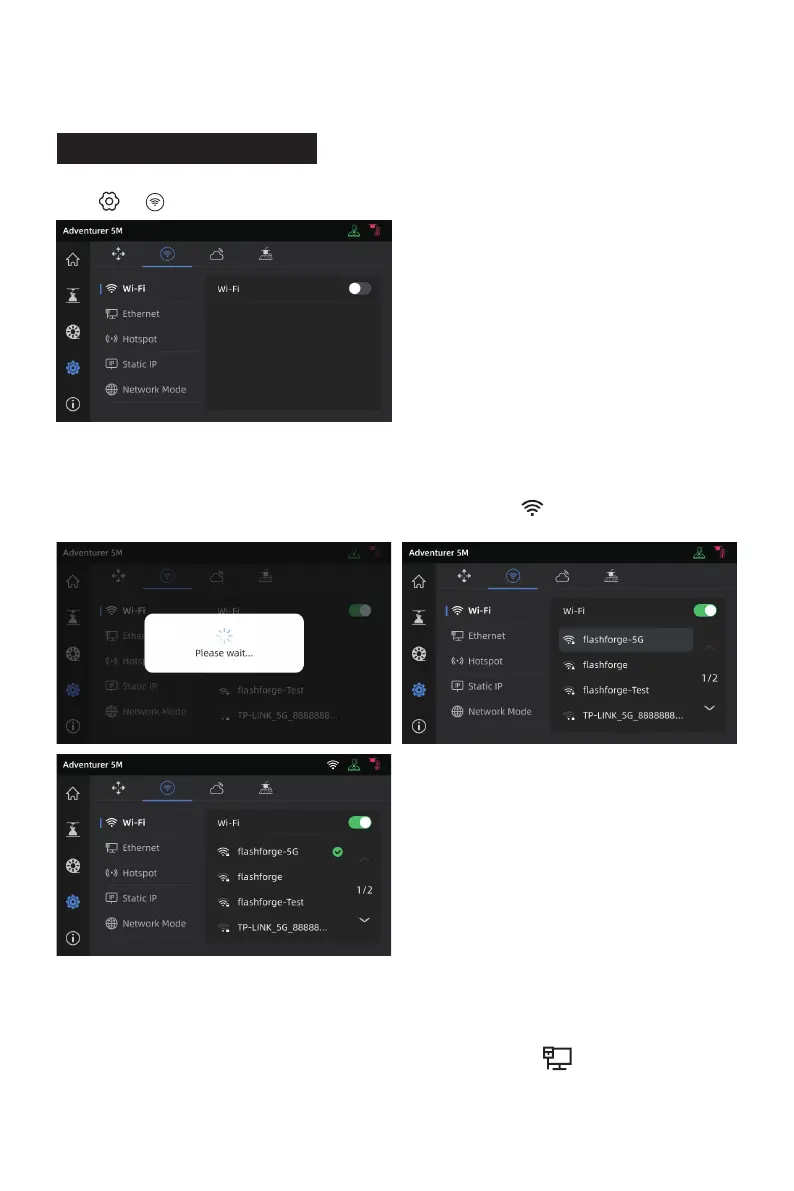
Click [ ] - [ ] to enter the network connection interface.
4.2.1 Wireless Network Connection
Turn on the Wi-Fi switch, and tap to connect to the corresponding wireless network.
Once connected successfully, the network will be marked, and an [ ] icon will appear at the top
right corner of the screen.
1. Select [Ethernet] and plug the network cable into the Ethernet port on the back of the printer
following on-screen instructions.
2. Once connected successfully, it will display as [Connected], and an [ ] icon will appear at the
top right corner of the screen.
4.2.2 Wired Network Connection
24















 To Next Page