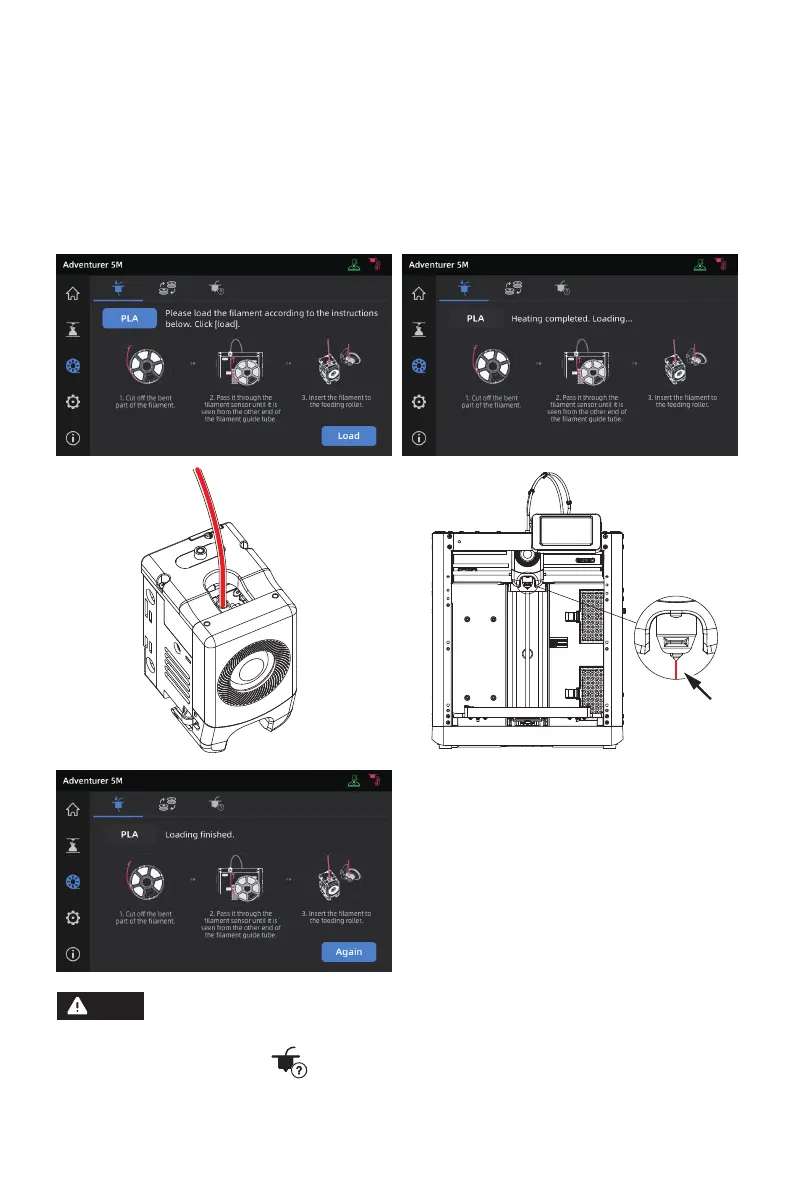
4. Click [Start], wait for the extruder to heat up and filament feeding will begin. When you see the
previous filament is extruded, insert the new filament and observe its flow and the extrusion.
If the new filament smoothly comes out of the nozzle, the filament change is successful. If not,
hold the filament by hand, insert it into the inlet, and click [Again] to retry. Feel for filament
movement until it is extruded. After successful loading, insert the filament guide tube into the
inlet.
1. If the previous filament roll is completely used up and there is no filament in the
guide tube, you can proceed with the loading process directly.
2. When changing filament, try to clear out the old filament using the new filament.
3. You can click [ ] to view the nozzle usage guide on the screen.
Note
23















 To Next Page