2.6 First Print
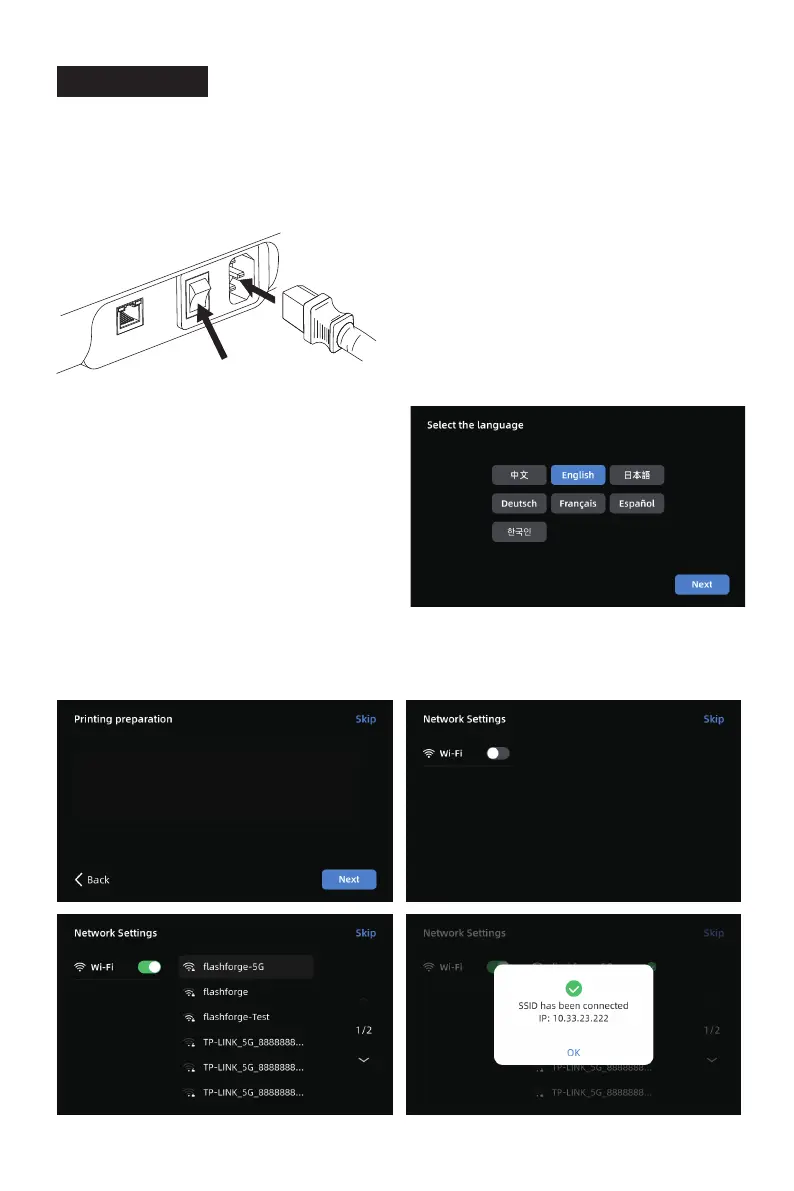
1. Power on the printer, turn on the power switch, and wait for the screen to respond.
* The interface layout may change whenever there is an upgrade of firmware.
Power Switch
2. Following the guide on the screen, select
the language.
13
Turn on the Wi-Fi switch and connect to the network following the instructions.
A successful connection notification will pop up once connected.
3.
1. Please confirm all packing materials were taken out.
2. The printer needs to be calibrated for the current envroment. Please
ensure the heated bed is unlocked before starting calibration.
3. Click [Next].















 To Next Page