4.3.3 Printing via Cloud
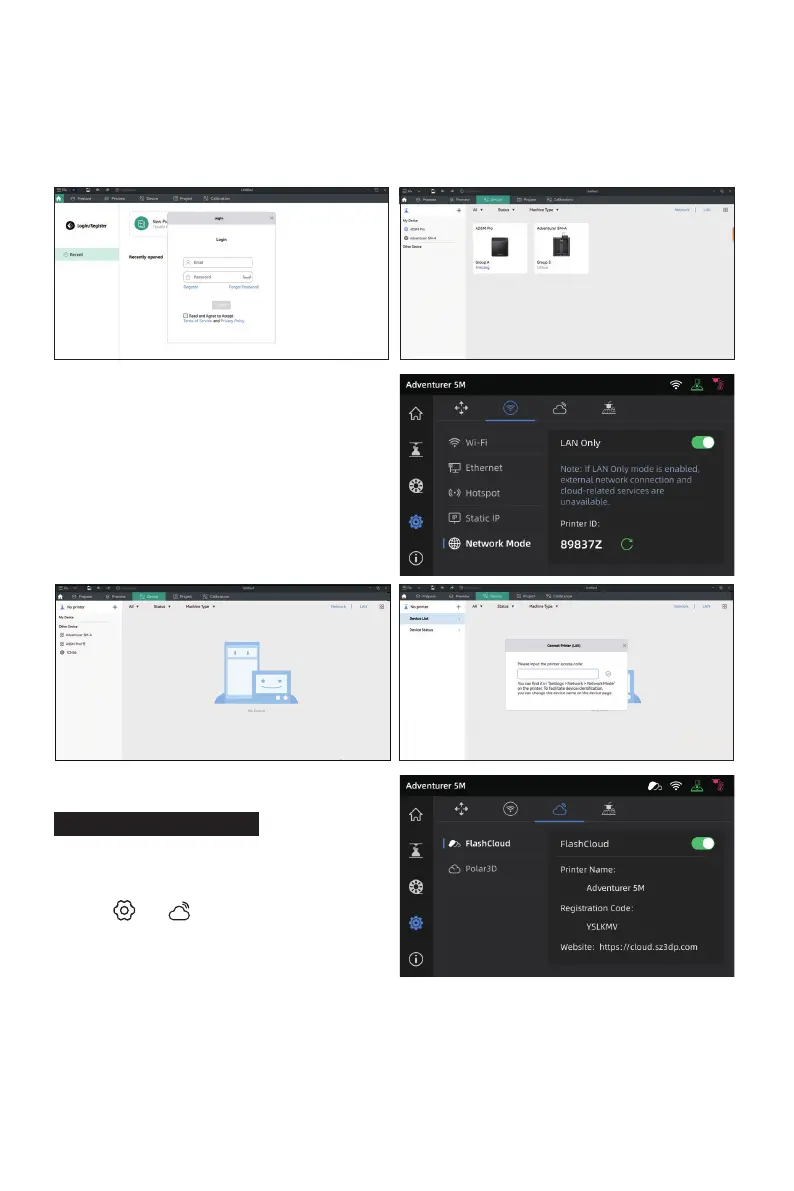
1. Click [ ] - [ ], turn on the FlashCloud
switch, and view the registration code.
2. Open the FlashCloud website and register an account. After email activation, you can log in and
use. FlashCloud: https://cloud.sz3dp.com/
3. Click [My Printer] - [Add Printer]. On the Add Printer page, enter the registration code (cloud
registration code) and name the printer. After clicking [OK], the information will appear on the
printer's FlashCloud interface.
Printing via FlashCloud
26
a. WAN Mode: Please log in/register your Flashforge account before connecting the printer.
Click [+] on the device page to open the search list and select the desired machine.
b. LAN Only Mode: Enable [LAN Only] via
[Network Mode]. In the slicing software,
click [+] on the device page to find the
corresponding printer. Select the printer
and enter the Printer ID displayed on the
printer to complete the connection.















 To Next Page