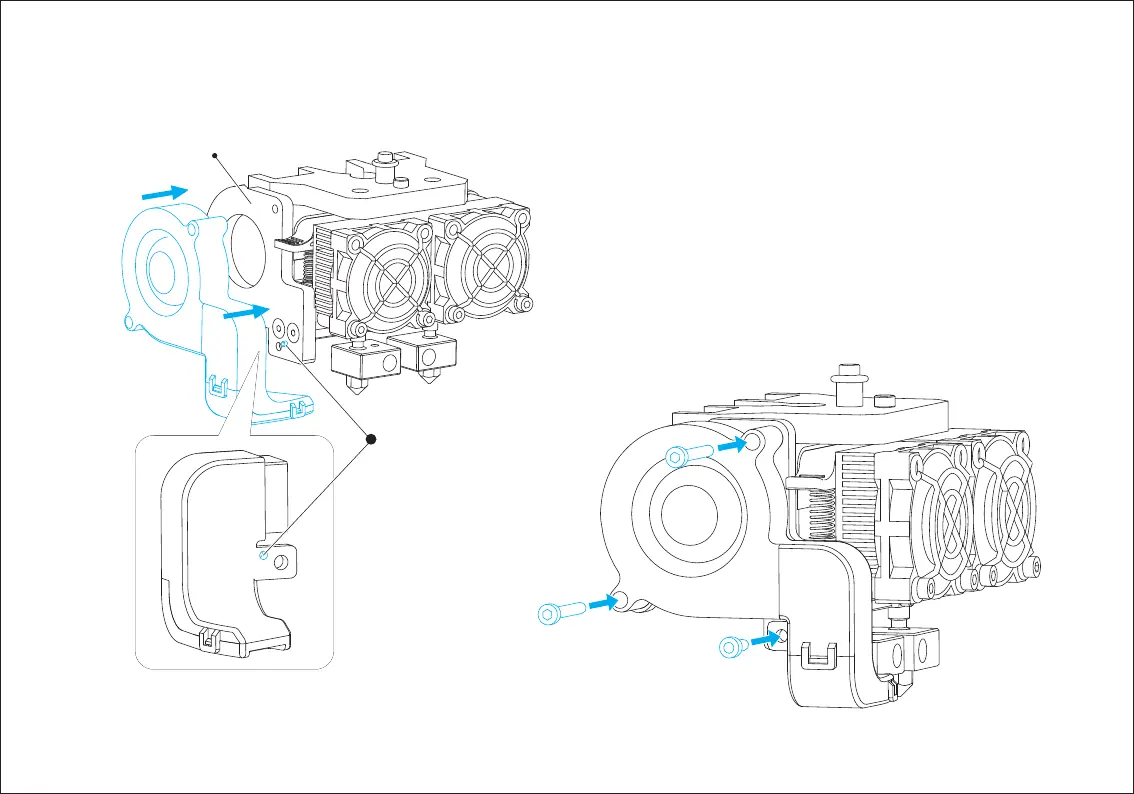
(1) Place the turbofan sub-assembly besides the turbofan seat.
(2) Insert the bump on the turbofan seat to the turbofan sub-assembly.
(3) Screw the two bolts in.
(4) Take a M3*6 bolt from the extruder’s assembly kit and complete
installation according to the instruction below.
Turbofan Seat
Bolt Moun
ting
Bolt Moun
tingBolt Moun
ting
M3X6 Bolt Mounting
Bolt Moun
ting
Align the bump on the turbofan
seat to the hole in turbofan
sub-assembly.















 To Next Page