Place Filament and Loading Filament
1. Remove PLA filament from packaging.
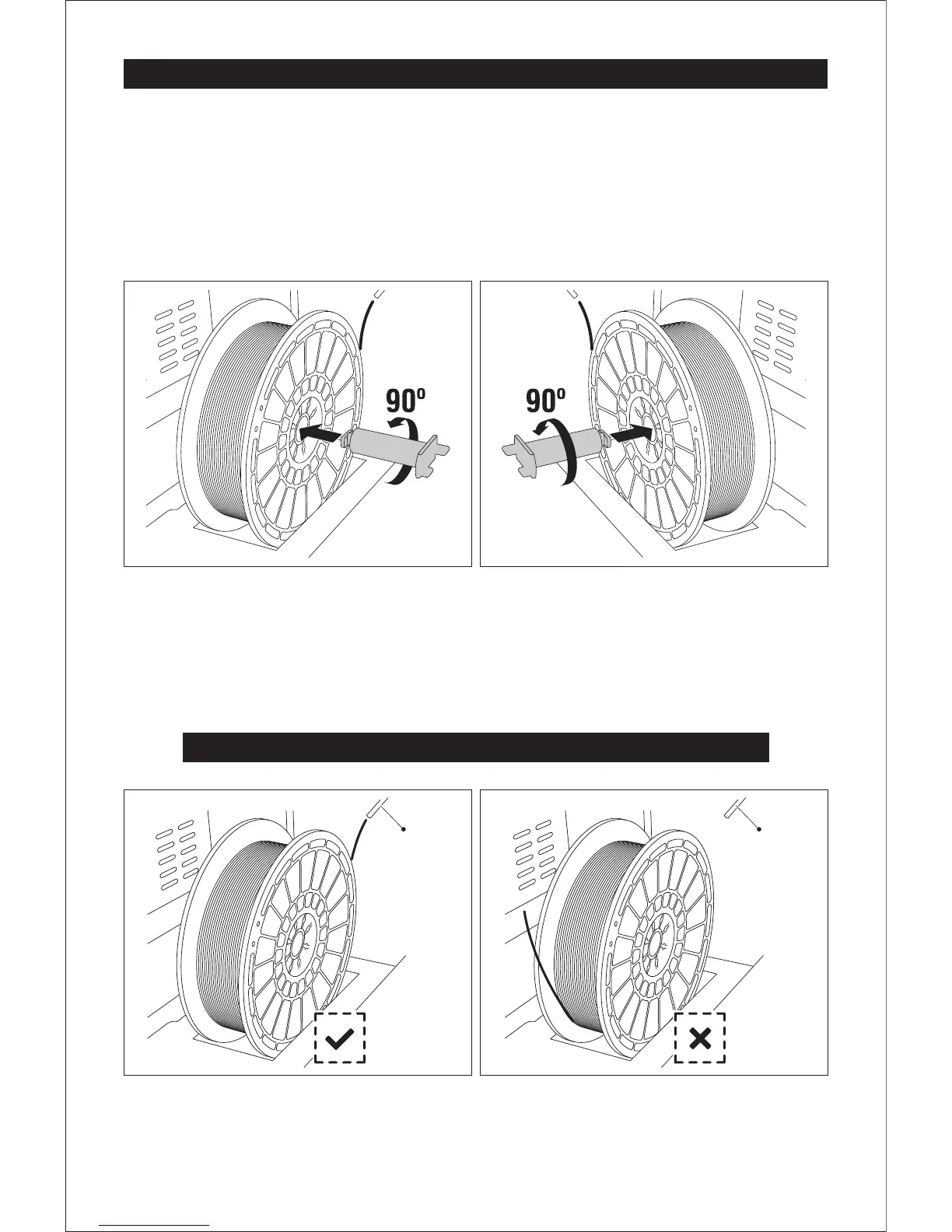
2. Place filament in spool slots located on both sides of the printer.
3. As shown below, insert spool holder into the center hole of the filament. Rotate 90 degrees to
lock. To remove spool holder, rotate in the opposite direction.
Ensure filament is placed in spool slots with correct orientation.
Correct Direction
Wrong Direction
Guide Wire Guide Wire
10
Fixed the filament by left spool holder Fixed the filament by right spool holder















 To Next Page