1. Tap [Tools], then tap [Filament].
2. Tap [Load Left].
3. Wait for the extruder to reach operating temperature. An alert will indicate this.
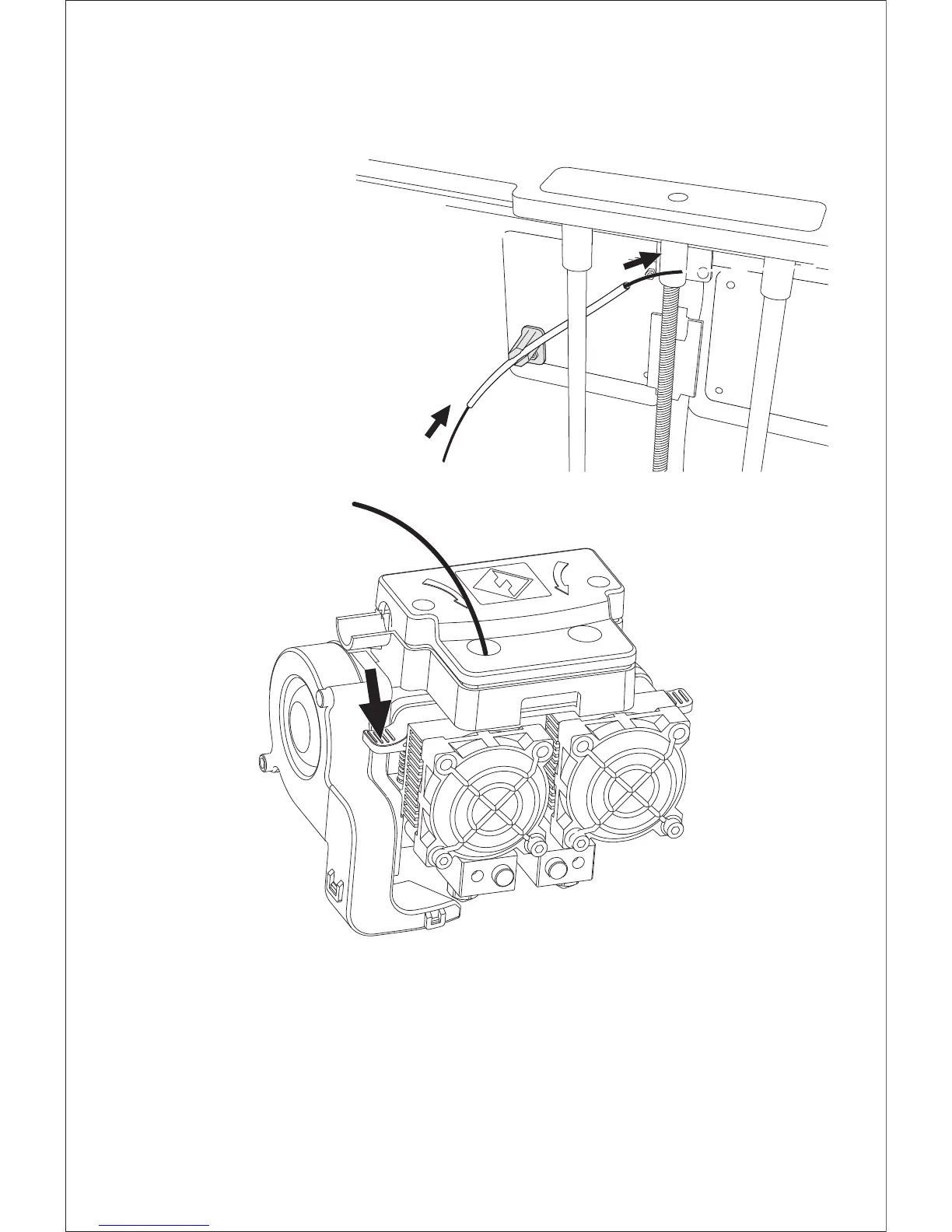
4. Secure the filament with a flat cross-section and load it by inserting the filament into the
extruder at an upright angle, meanwhile press down the spring presser.
5. Filament will flow out of the nozzle. Continue loading until the filament is extruded in a
straight line.
1. After filament placement, thread the filament
through guide tube.
2. Insert the filament into the left extruder at a
perpendicular angle while pressing down the
spring presser. Ensure the end of the filament
has a flat surface before loading it.
11















 To Next Page