05
Hardware Assembly
Extruder Assembly
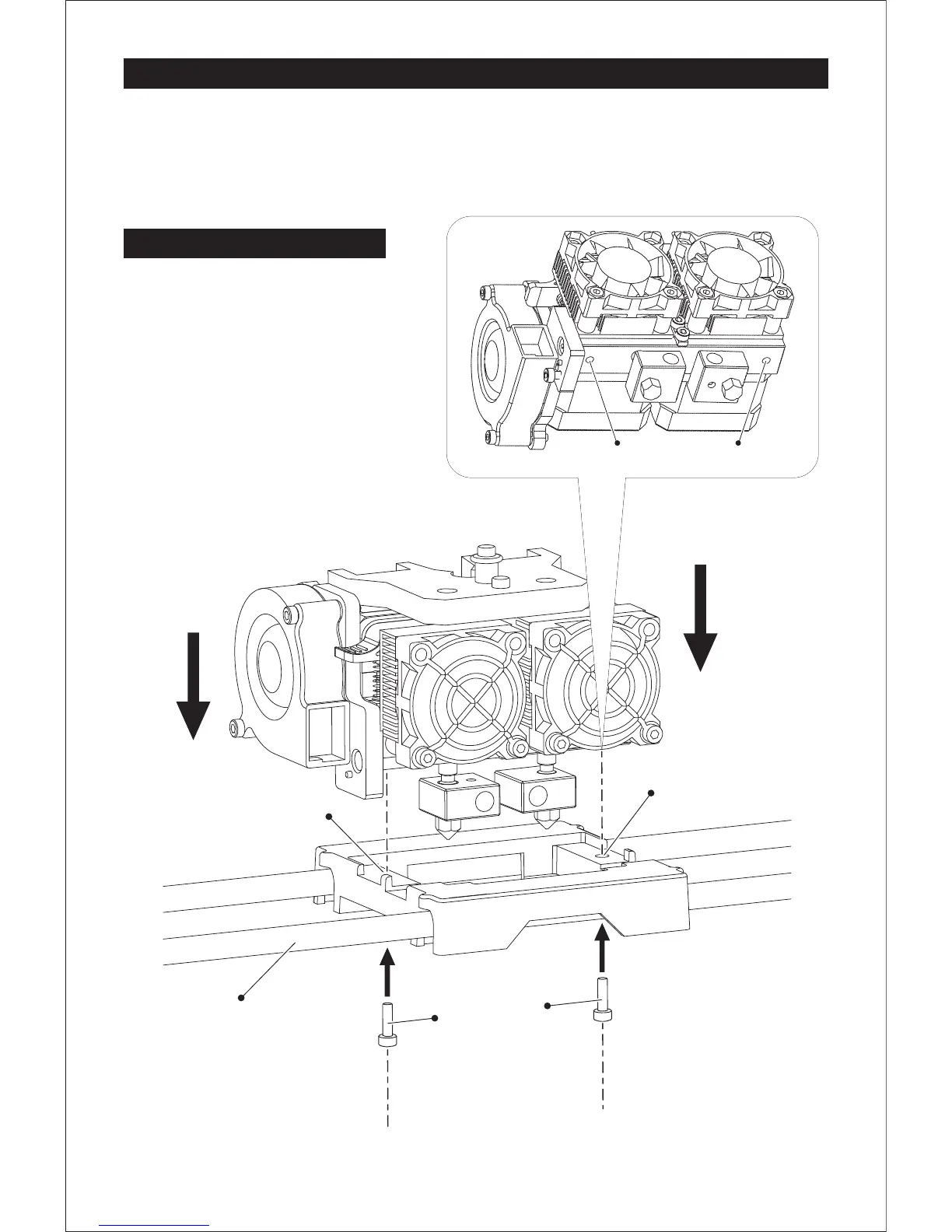
1. Place the dual extruder on the extruder
seat.
2. Take the M2.5 Allen Wrench from the tool
box and two M3 x 8 bolts(longer ones)
from the extruder’s accessory kit.
3. Adjust the extruder location to align the
bolt holes.
4. Secure the extruder onto the extruder
seat by screwing the M3 x 8 bolts in.
Bolt Hole Bolt Hole
M3 x 8 bolts
X-Axis Guide Rod
Bolt Hole
Bolt Hole















 To Next Page