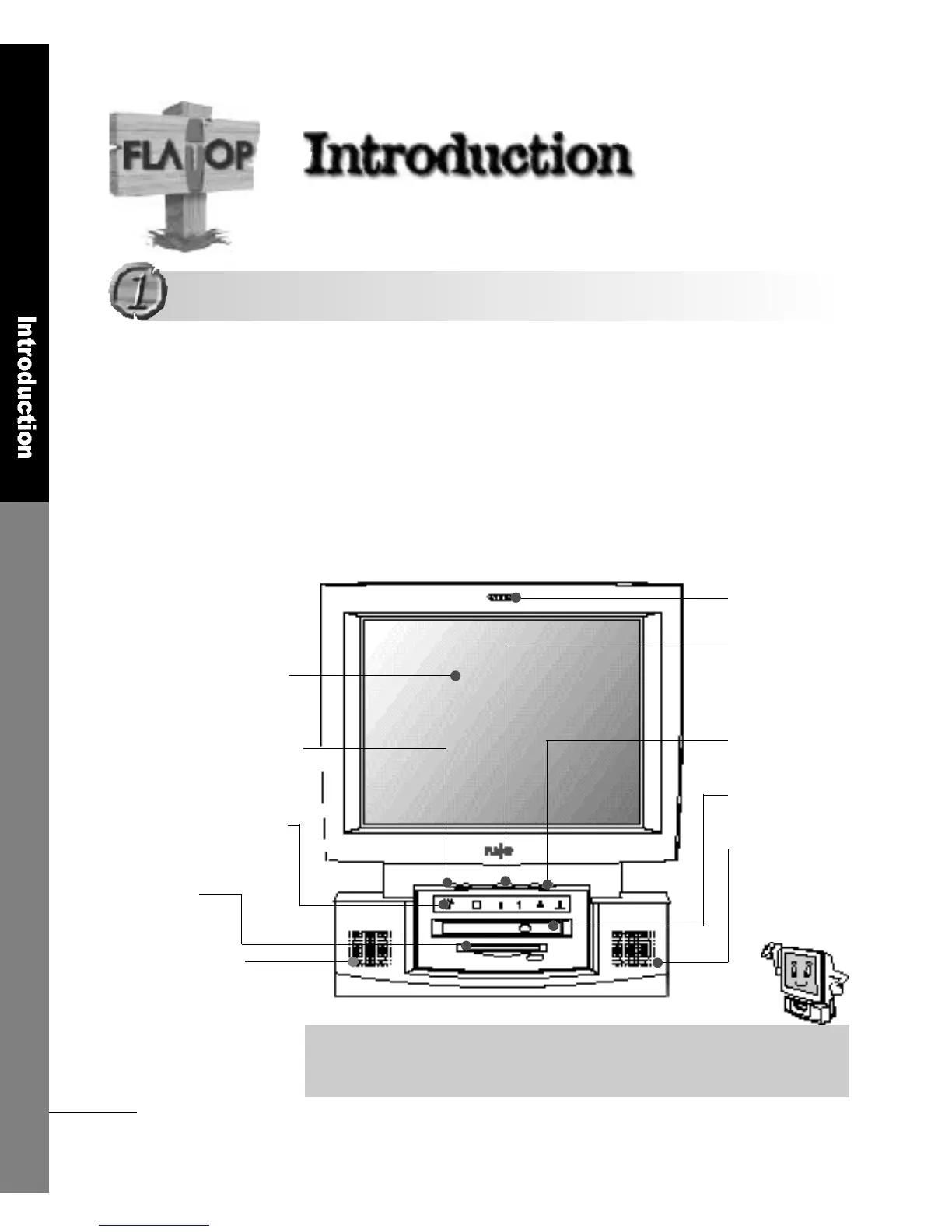
Become familiar with the names of the extern a l
C o m p o n e n t s
■ The Fro n t
This section describes the appearance and the various buttons and
functions of the product. Please refer to the brief descriptions and
names given in the illustrations in order to learn the functions of each
c o m p o n e n t .
M i c r o p h o n e
Power Button
Speaker Vo l u m e
CD-ROM DRIVE
Built-in Speaker
1 5 . 1TFT LCD Panel
LCD Screen Brightness
Status Indicator Panel
3 . 5 F D D
Built-in Speaker
This 392(W)mm x 430(H) sized product provides a space-saving feature and
the display gives vertical viewing angles between -5°and 25°and a clean
screen quality even when you view it from the side.
▶ Built-in Microphone (option)
▶ Power can be turned On or Off
when the power cord is connected
to a wall outlet (standby mode)
▶ adjusts the speaker volume
▶ 24X Slim size CD-ROM drive
▶ Max. 5W output
▶ 16.7 million colors at 1024 x 768 Max.
r e s o l u t i o n
▶ Adjusts the LCD Screen Brightness
▶ Indicates the current status of
o p e r a t i o n
▶ Max. 5W output
▶ 1.44 Floppy Disk Drive
1 4
I n t r o d u c t i o n
Appearance
Appearance



 To Next Page