Home
FLATOP
Desktop
AF8
Page 67
FLATOP AF8 - Page 67
76 pages
Manual
Save Page as PDF
To Next Page
To Next Page
To Previous Page
To Previous Page
Loading...
Improved Computer Performance
6 7
■
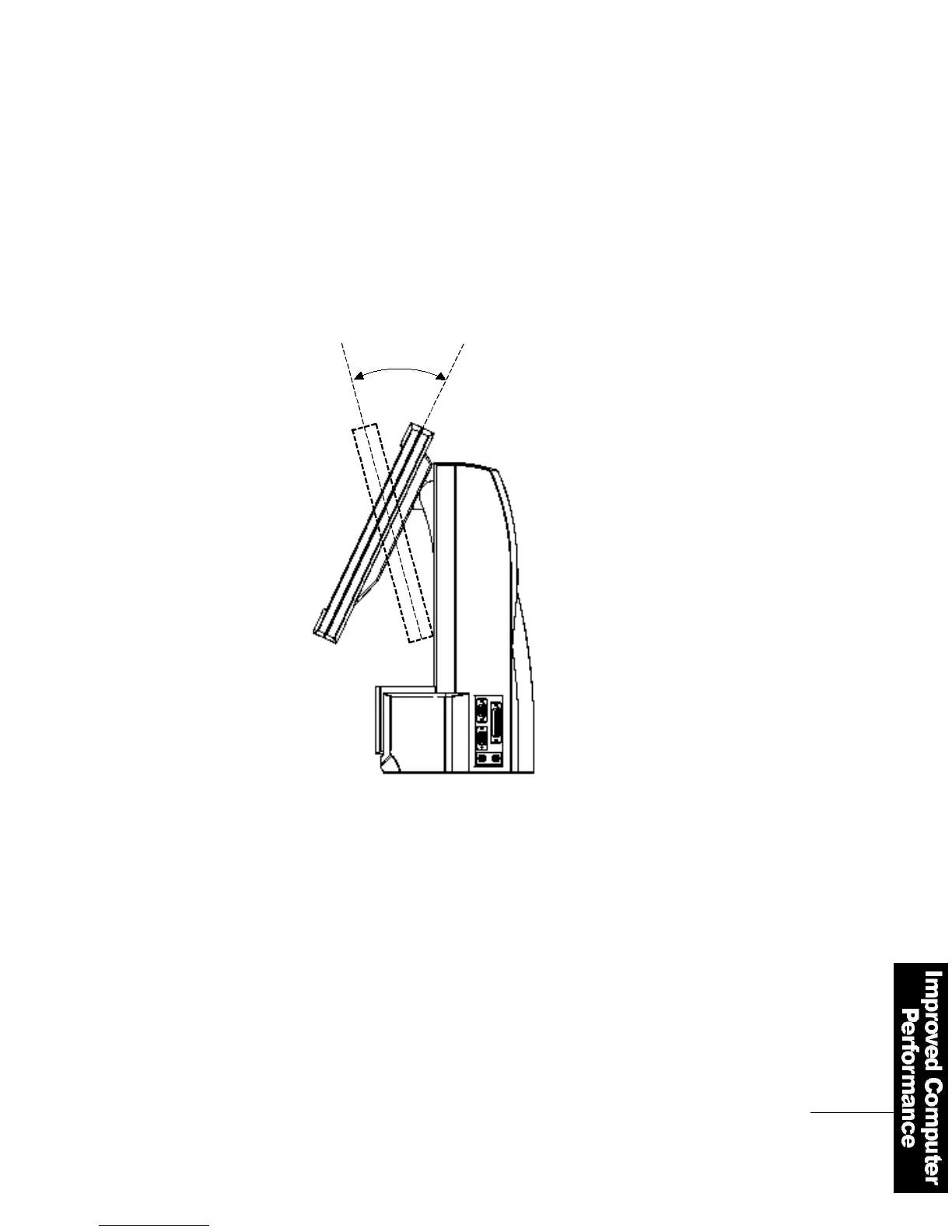
Adjusting the FLATOP LCD Monitor
You can adjust FLAT
O P
′
s
TFT LCD monitor in the vertical
range of -5 ~ +25
°
. To change
its vertical angles, hold both
sides of the panel and move it
up and down.
3 0
°
66
68
Table of Contents
Main Page
Fcc Compliance Statement
4
Product Features 1
10
Equipment Checklist
11
Notes on Installation and Operation 1
12
Appearance 1
14
Wireless Keyboard
15
Parallel Port
15
Video Connector
15
Keyboard Connector
15
Mouse Connector
15
Usb Port
15
Power Connector
15
Computer Status Indicator Panel 1
16
Connecting the Power Cord 1
17
Shutdown 2
21
Installing the Drivers 2
22
Installing a Printer 4
45
Using a Wired Keyboard and a Mouse 4
49
Using a Wireless Keyboard and a Mouse 5
51
Changing the Battery
52
Using the Mouse
53
Entering the System Setup
56
Advanced Operations
58
Opening the Computer Cover
60
Composition of the Mainboard and Connectors
61
Connector Functions
62
Jumper Setting
63
Expanding the Memory
64
Installing Cards in the Expansion Slot
66



 To Next Page