Overview
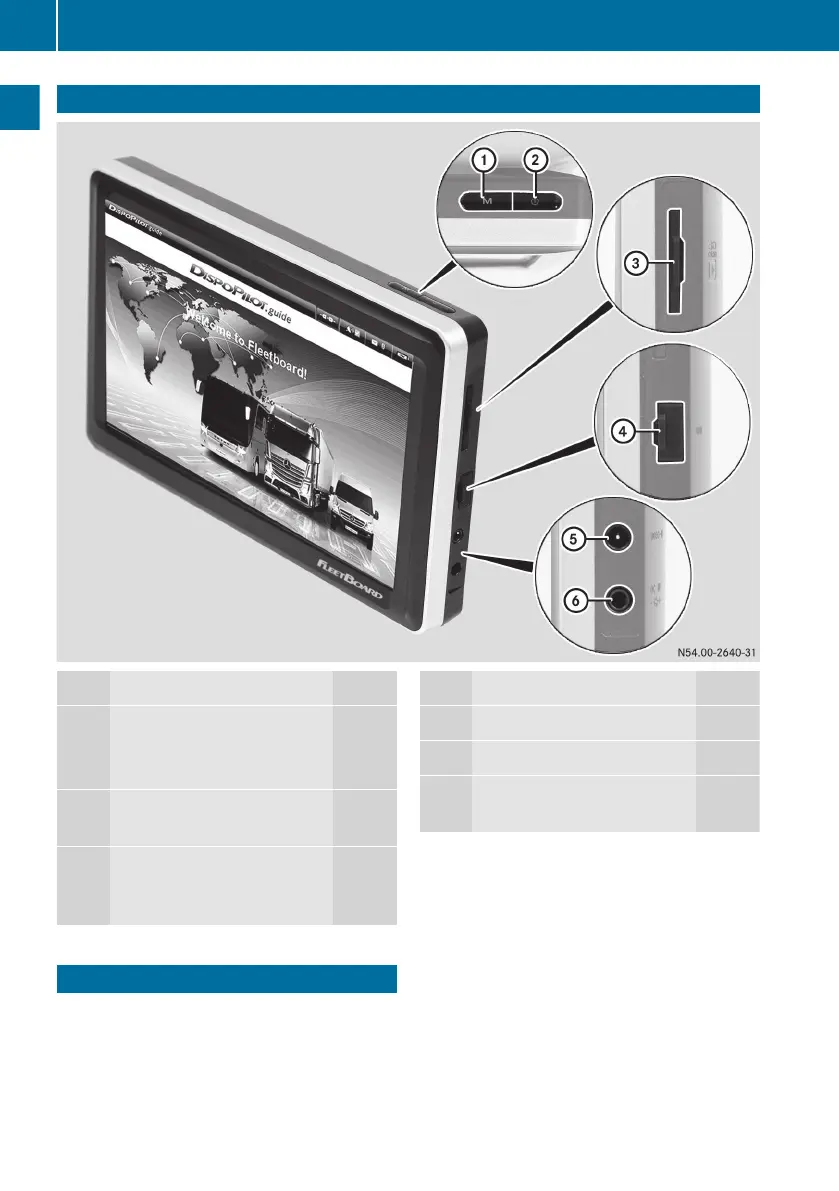
Function Page
1
M Calls up the portal page
8
Exits navigation full screen
mode 23
2
Ü Switches DispoPilot
on/off
8
3
Card slot for the SD card
(for navigation system
updates)
Function Page
4
USB port
5
Video input (no function)
6
External power connection
(no function)
Portal
When DispoPilot is switched on, the portal is
displayed automatically after the device has
booted up.
8
Portal
Overview and operation


 To Next Page