Replacing the rechargeable battery
H
Protection of the environment
Rechargeable batteries contain pollutants.
Do not dispose of old batteries with house-
hold waste.
Dispose of rechargeable batteries in an envi-
ronmentally
responsible manner at a special-
ist workshop, a Mercedes-Benz Service
Centre or a collection point.
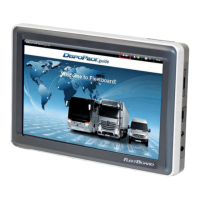
DispoPilot.guide is only available with a pre-
installed battery. The battery cannot be
removed. If the battery needs to be replaced,
contact FleetBoard
®
Support.
Reset
If DispoPilot no longer responds to entries,
the software must be restarted.
X
To restart: press the reset button on the
rear of the device.
Maintenance and care
Clean the housing and the screen regularly
with a soft cloth. Do not use abrasives or
aggressive cleaning products such as sol-
vents.
Do not use chemical cleaners or cleaning
materials that could scratch the surface of
the screen.
26
Maintenance and care
Practical advice


 To Next Page