FLIRTG165USERGUIDEDocumentIdentifier:TG165‐en‐US_AA
14
7ButtonandTriggerControl
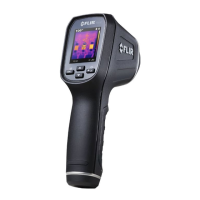
TheTG165hasfour(4)controlbuttonslocateddirectlybelowthedisplay,inadditiontothetrigger.Hint:Usethe
thumbforbuttoncontrolandtheindexfingerforthetriggercontrol.
7.1POWER/BACKBUTTON
Pressandhold:CyclemeterpowerON‐OFF
Shortpress:Exitamodeordiscardanimage(whenan‘x’appearsonthedisplayabovethebutton)
7.2OK/MENUBUTTON
Shortpress:AccessestheSettingsMenu,confirms/opensamenuparameter,togglesamenuoption,and
storesanimagewhenacheckmarkisdisplayedaboveit.
7.3UPandDOWNNAVIGATIONARROWBUTTONS
Shortpress:ScrolltheselectionsintheSettingsMenuandscrollstoredimagesintheImageReviewmode:
Fromthenormalmodeofoperation,a4secondpressoftheDownarrowaccessesImageReviewmode;
alternatively,accessImageReview/DeletemodeasdescribedinSection9,SettingsMenu.
7.4TRIGGERBUTTON
Activateslaserpointersand,whenreleased,takesasnapshot.



 To Next Page