30
6.3.3 Inaccurate Readings
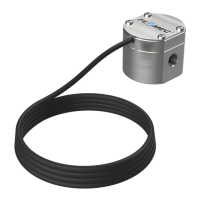
If the RT40 display is showing inaccurate readings of flowrate or total volume the possible
causes are; incorrect configuration settings in the RT40, electrical noise, or a faulty flow meter.
Please follow the below steps to troubleshoot this issue.
1. Obtain the calibration certificate for your flowmeter, if you no longer have the
calibration certificate for your flowmeter you will need to contact FLOMEC technical
support or the FLOMEC distributor from whom you bought your meter. Please note:
you will need to have the serial number for your flowmeter, which is located on
the flowmeter itself – the serial number for your RT40 display is not the serial
number you need.
2. Once you have the calibration certificate for your flowmeter please confirm the K-
factor values have been correctly entered into the Calibration Data for the RT40 (see
section 5.7). Please note that K-factor values must be entered in Litres even if you
have chosen to display readings in another unit of measure.
3. If calibration data is correct; while your flow meter is operating (there is flow) go to
the Input Frequency diagnostics menu (see section 6.1.2). If the input frequency
reading is erratic or unsteady, it is likely you have an issue with electrical noise
interfering with the pulse signal from the flowmeter. This issue will typically present
as flow readings being too-high on your RT40. Electrical noise issues can typically be
fixed with shielded cables, properly grounded at the RT40 and isolated at the
flowmeter. Also re-run cables away from solenoids and electric motors.
4. If all of the above steps do not uncover a cause of the inaccurate readings, it is likely
your flowmeter is faulty, or in need or recalibration. Please refer to the instruction
manual for your flowmeter, or refer to the flowmeter manufacturer for technical
support.
6.3.4 Backlight not Illuminating
If the backlight does not illuminate on your RT40, follow the below steps:
1. Please note that the backlight will only function if external DC power is connected. It
will not function on battery power.
2. Check the backlight is not configured to “OFF” (see section 5.9.5)
3. Check there is sufficient external voltage available to power the backlight, using the
Voltage diagnostics menu (see section 6.1.3)
4. If the backlight is configured to be ON, and the diagnostics menu shows sufficient
external voltage it is possible your backlight is faulty. Please contact FLOMEC
technical support.


 To Next Page