29
6.3 Troubleshooting Steps
6.3.1 Total Not Counting
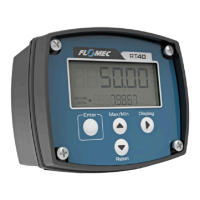
If the total display on the RT40 is not counting it will be necessary to determine if the cause
of the fault is a flowmeter failure, failure of the RT40 itself, or incorrect setup of the RT40.
Following the below steps will allow the user to identify the likely fault.
1. Confirm the correct input type has been configured (see section 5.6)
2. Once the correct input type is set; use the Input Frequency diagnostics menu
(section 6.1.2) to identify if an input signal is being detected by the RT40.
3. If an input signal is being detected, but the total display is not counting, please check
your K-factor setting has not been programmed as zero.
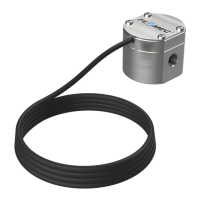
4. If an input signal is not being detected; disconnect the wires connecting your
flowmeter sensor to the RT40. With the input type set to REED, using a short piece of
wire or a paperclip, momentarily connect the “Input1” terminal to the “GND”
terminal to simulate the closing of a reed switch sensor. If the input frequency
reading in the diagnostics menu shows a reading, the fault is with the flowmeter or
the wiring from the flowmeter to the RT40.
5. If step 4 does not cause a reading on the Input Frequency display, there may be an
electrical fault with the RT40, please contact FLOMEC technical support.
6.3.2 Zero Flowrate
If the flowrate display on the RT40 is reading zero, but the total volume is counting there
may be an issue with configuration settings. If the flowrate and total readings are both non-
functional, please see section 6.3.1 above. To troubleshoot this issue please follow the below
steps.
1. Ensure the units of measure are appropriate for the amount of flow in your pipe. If
you have cubic metres set on your RT40 and are measuring flow in a ¼” pipe this
may be an issue (see section 5.3)
2. Ensure the flowrate timebase is not set too large (i.e. /day) creating a value of
flowrate too small to be displayed on the screen (see section 5.4)
3. Set the flowrate decimals to 3 to ensure sufficient resolution to pick up low flow
rates (see section 5.5)
4. Set the low frequency cutoff setting to the default value of 0.1Hz (see section 5.9.2)
5. Set the rate calculation pulses setting to the default value of 4 (see section 5.9.3)
6. Set the filter setting to the default value of 25 (see section 5.9.4)
7. If the issue persists you may have a fault in your RT40, please contact FLOMEC
technical support.


 To Next Page