9
2.3.4 Bidirectional Flow Measurement
When using a standard single channel flowmeter with an RT40 users will find that reverse
flow in their pipe will produce the same flowmeter pulse signal as occurs during forward flow.
This means that reverse flow will be counted by the RT40 as if the flow were still travelling
‘forwards’.
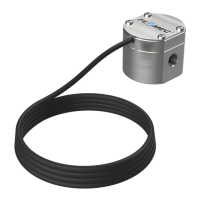
To address this issue the RT40 can be used with a flowmeter that has a quadrature output
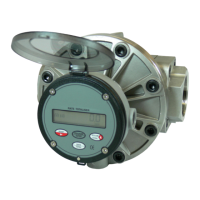
signal – for example an OM series meter with QP option. In this configuration the RT40 can
determine the flow direction, allowing measurement of both forwards and reverse flow.
When the RT40 is in Quadrature configuration all the functions of the RT40 will operate as
normal, except that reverse flow will now subtract volume from the total and accumulated
total display, and a flowrate with a negative sign will be shown on the flowrate display.
When measuring bidirectional flow and using a Scaled Pulse Output, users should note that
errors can occur in the transmitted signal when there are periods of reverse flow. This occurs
because once a pulse is sent it cannot be ‘called back’. During periods of reverse flow, the
RT40 will remember the Accumulated Total volume at which the flow reversed. Once the flow
has returned to forwards the RT40 will not output any additional pulses until the volume in the
Accumulated Total exceeds the volume when the flow reversed.
Using the Unscaled Pulse Output with a quadrature input will simply retransmit the signal from
input 1. This means that both forward and reverse flow will output the same pulse signal,
making this feature not particularly useful with bidirectional flow.
2.3.5 MAX/MIN Flowrate Display
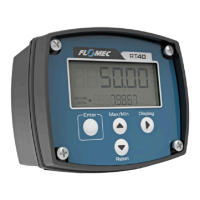
By pressing the MAX/MI N button on the RT40 the user is able to see the minimum, and
then the maximum flowrate that has been measured in their system since the last time this
feature was reset. By holding down the Reset button for 3 seconds while either HI or LO is
displayed on the screen will reset both the minimum and maximum values to zero.
This feature is useful when troubleshooting a system where excessively high or excessively
low flowrates are suspected, and where it is impractical to be in front of the flowrate display at
the exact instant when the fault occurs. An example is where an overnight issue is suspected,
the operator can reset their MAX/MIN values before going home for the night. When the
operator arrives in the morning, they can see the highest and lowest flows in the system over
night.


 To Next Page