REGULATION INSTRUCTIONS
49
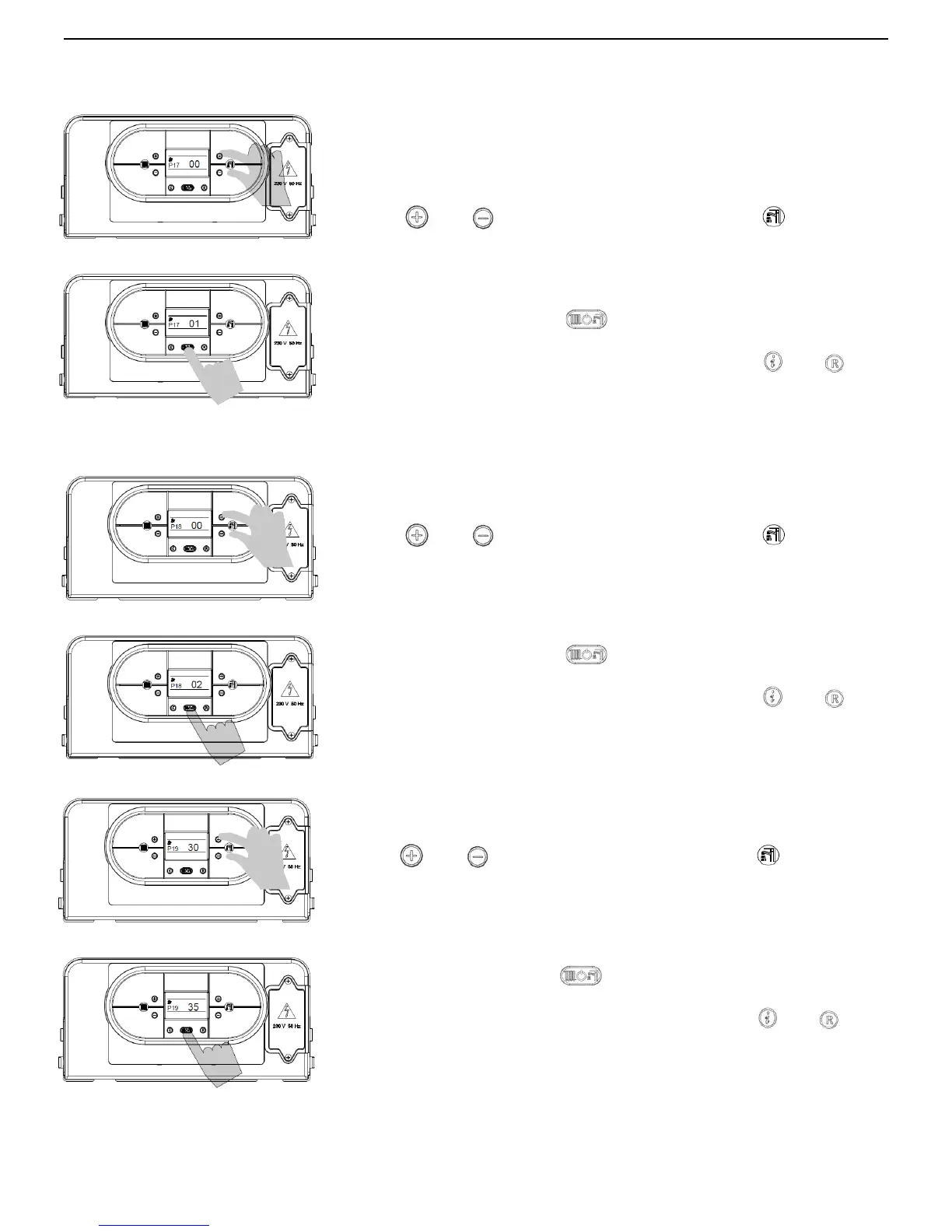
PARAMETER P17 – SETS THE TEMPERATURE MEASUREMENT UNIT
This parameter is used to set the temperature measurement unit
displayed: Celsius ( ) or Fahrenheit ( ) degrees.
To enter the parameters menu, follow the previously described procedure
(see paragraph 5.2 ‘Accessing the parameters menu’ -
steps 1-4).
5. Use
and buttons (D.H.W temperature setting) to modify the
value of the parameter:
00 = °C
01 = °F
6. Press mode selection button
to confirm and to render the new
parameter operative.
7. To exit from the parameters menu, press simultaneously
and
buttons.
PARAMETER P18 – SETS THE 0-10V INDUSTRIAL BUS PILOTING
This parameter is used to enable/disable the 0-10V industrial bus in order to
set the burner output and the flow temperature by outdoor bus.
To enter the parameters menu, follow the previously described procedure
(see paragraph 5.2 ‘Accessing the parameters menu’ - steps 1-4).
5. Use
and buttons (D.H.W temperature setting) to modify the
value of the parameter:
00 = Disabled
01 = Flow temperature control mode
02 = Burner output control mode
6. Press mode selection button
to confirm and to render the new
parameter operative.
7. To exit from the parameters menu, press simultaneously
and
buttons.
PARAMETER P19 – CENTRAL HEATING MINIMUM SET POINT
This parameter is used to set the central heating minimum user set point.
To enter the parameters menu, follow the previously described procedure
(see paragraph 5.2 ‘Accessing the parameters menu’ - steps 1-4).
5. Use
and buttons (D.H.W temperature setting) to modify the
value of the parameter within the prescribed limits (displayed in Celsius
degrees):
min = 20 °C
max = 40 °C
6. Press mode selection button
to confirm and to render the new
parameter operative.
7. To exit from the parameters menu, press simultaneously
and
buttons.



 To Next Page