EP5 Electro Pneumatic Digital Positioner FCD PMENIM0006-00-A5 12/18
33
Calibration Procedure APEX 7000:
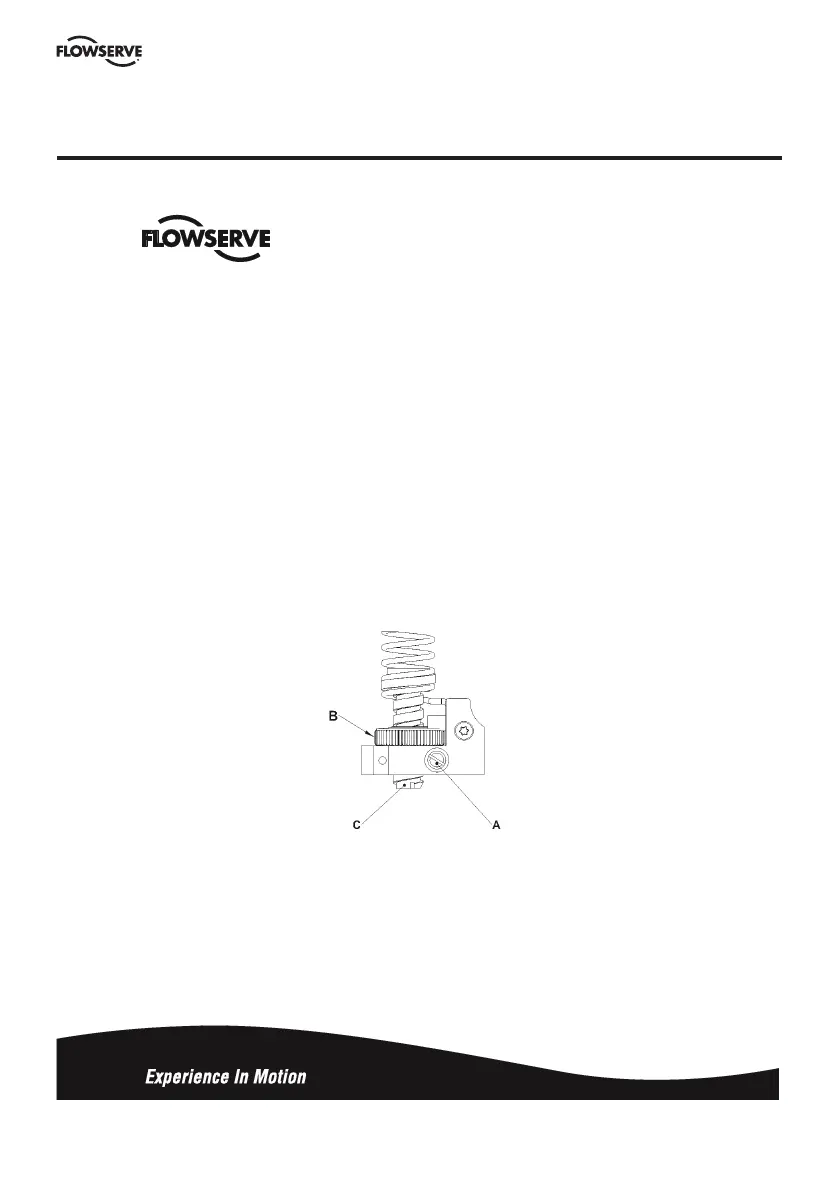
1. Apply 0% input signal (0% = 20 kPa, 3 psi, or 4 mA).
2. Wait for steady state. It is important to wait for steady state. On very large actuators, it can take minutes to
establish.
3. Loosen locking screw A about 1 turn, if it is looser, you risk introducing unwanted movement.
4. Adjust “ZERO” position using thumbwheel B
5. Apply 100% input signal (100% = 100 kPa, 15 psi, or 20 mA).
6. Wait for steady state.
7. With a screw drive, adjust the “SPAN” setting by turning screw C, while doing so, keep the zero screw B in
position by applying pressure with your thumb.
8. Lock the calibration mechanism in place by tightening locking screw A
9. Apply 0% signal and verify zero position.
Apendix A



 To Next Page