135
Limitorque MX Maintenance and Spare Parts FCD LMENIM2314-00 – 07/08
flowserve.com
5.14.2 Remounting
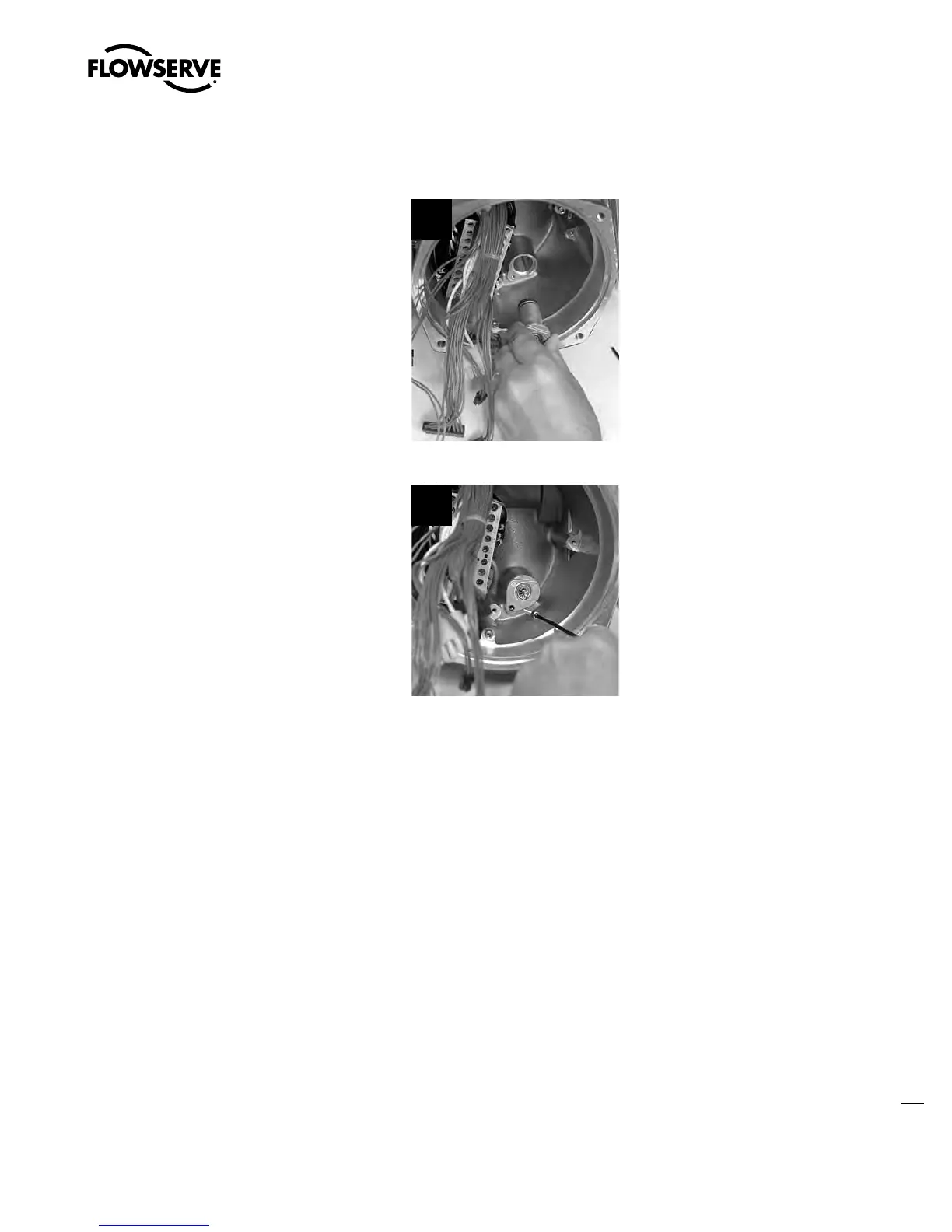
STEP 3
If actuator uses drive sleeve speed ID 1 or 2,
ensure the input gear (#6-25) is installed on the
encoder. Fit the encoder drive cartridge into the
actuator housing.
3
STEP 4
Using a 3 mm hex key, fit the M4 screw (#14-8)
into the actuator housing to secure the encoder
cartridge.
4
Swanson Flo | 800-288-7926 | www.swansonflo.com









 To Next Page