Power Logger
Navigation and User Interface
13
Navigation and User Interface
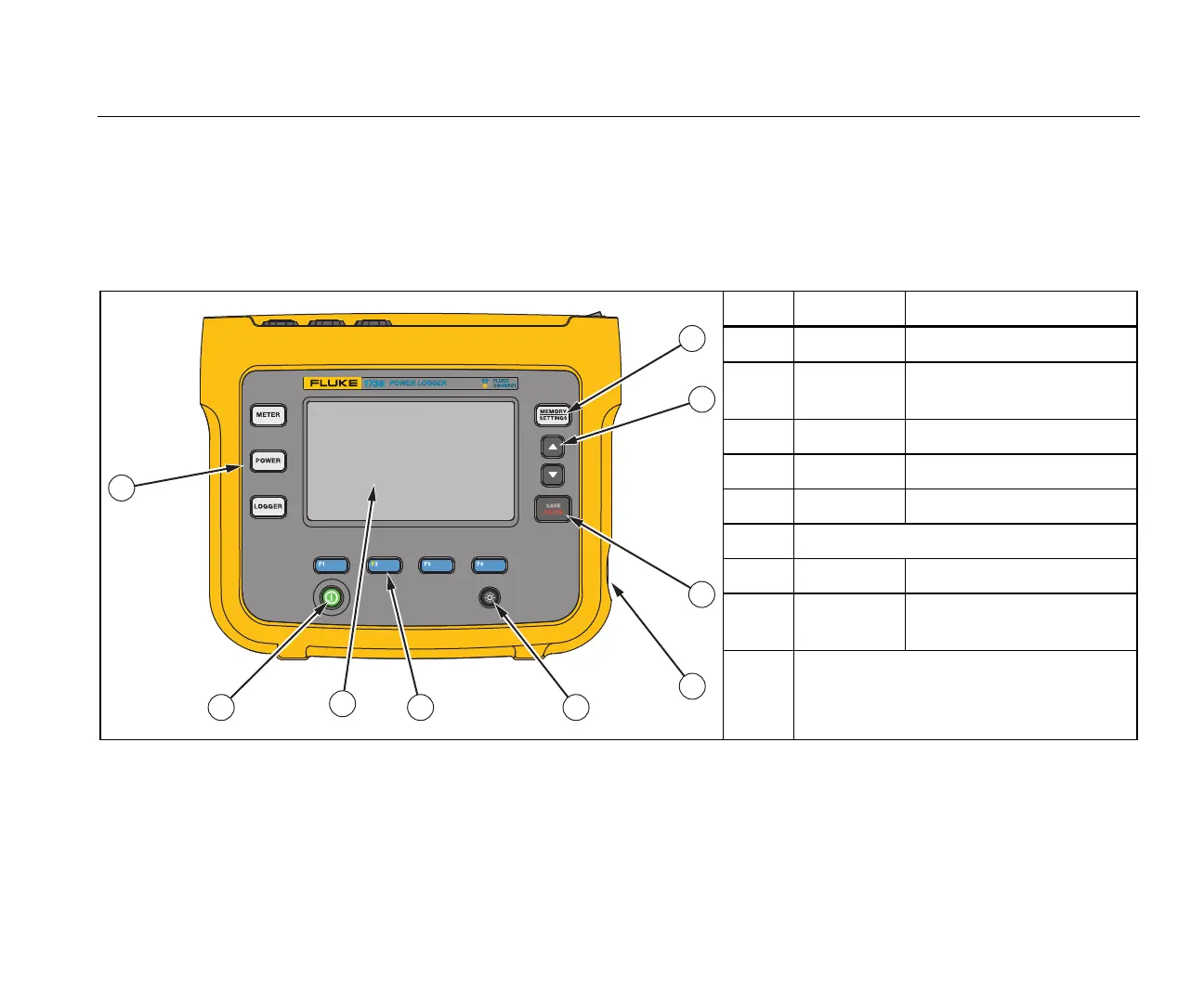
See Table 3 for a list of the front panel controls and their
functions. See Table 4 for a list of the connectors and their
functions.
Table 3. Front Panel
hcf023.eps
Item Control Description
Power on/off and status
Meter, Power, or Logger
function selection
Memory/Setup selection
Cursor control
Selection control
Kensington lock
Backlight on/off
Softkey selection
Touch screen display
2
1 8 7
5
4
3
6
9



 To Next Page