Laser Distance Meters
Measurements
15
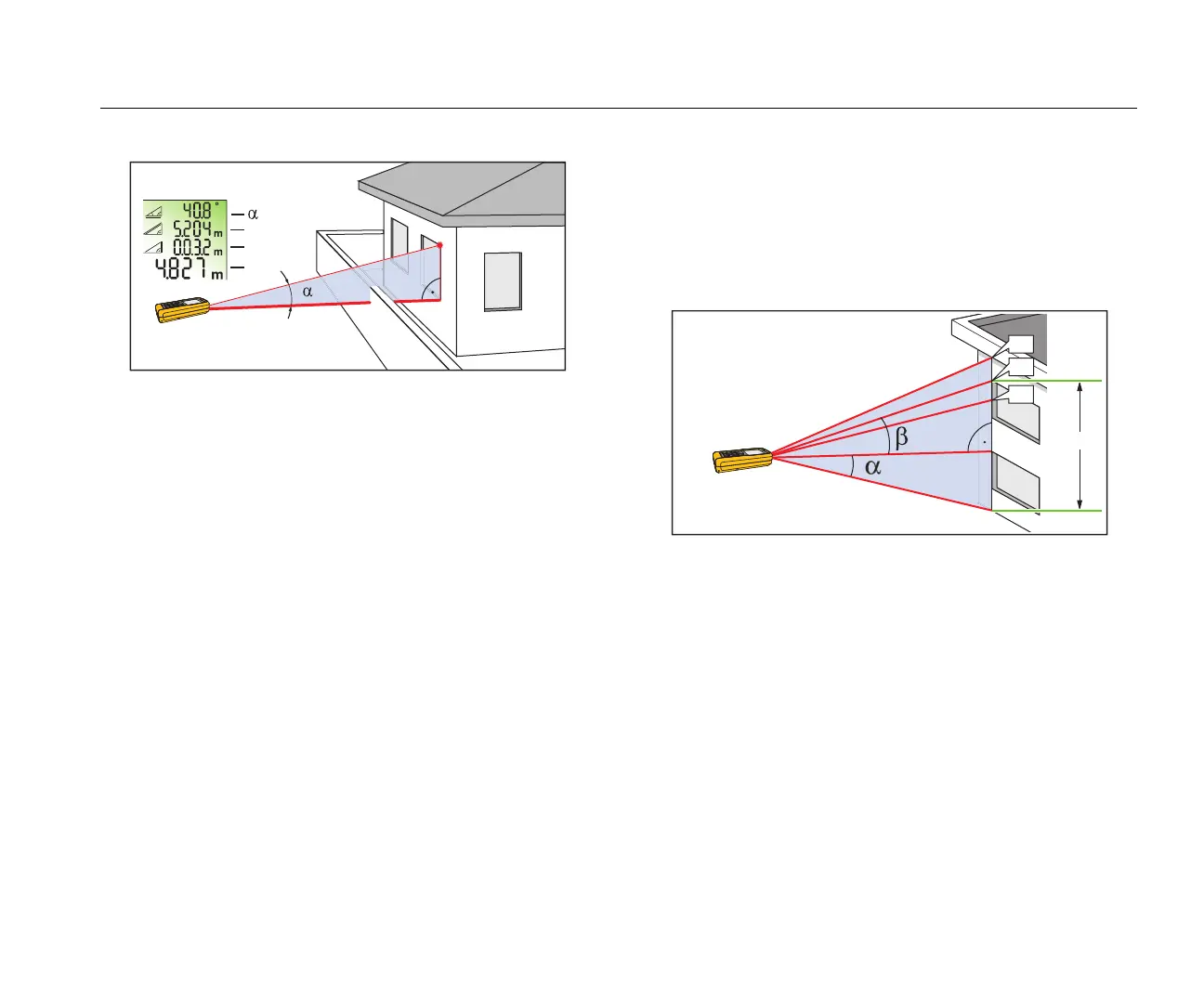
Figure 7. Smart Horizontal Mode
Height Tracking
Height tracking shows continuously on the display as the Meter
turns on a tripod. The tilt is continuously shown in the selected
unit of measure as ° or %.
To measure:
1. Push 2x.
p shows in the display.
2. Point the laser at lower target.
3. Push .
p shows in the display with the distance and angle to the
lower target.
4. Move the laser upwards to the top target.
Height Tracking starts automatically. The display shows the
angle to the actual target and the vertical distance from the
lower target.
5. Push at the top target.
Height Tracking stops and the display shows the vertical
distance between the two measured targets. See Figure 8
for more information.
Note
The minimum/maximum tracking is very helpful for 90 ° angle
measurements. See Minimum/Maximum Tracking.
Figure 8. Height Tracking
Leveling
The Leveling function continuously shows the angle of the Meter.
From an angle of ±5 °, the Meter starts to beep. As it gets near
1 °, the Meter beeps faster. At ±0.3 °, the Meter beeps constantly.
To level:
1. Push 3x.
f shows in the display.
2. Put the Meter on object to do a test for level.
The angle continuously shows on the display as the object
moves.



 To Next Page