417D/424D
Users Manual
16
Tilt Sensor Calibration
To calibrate the tilt sensor:
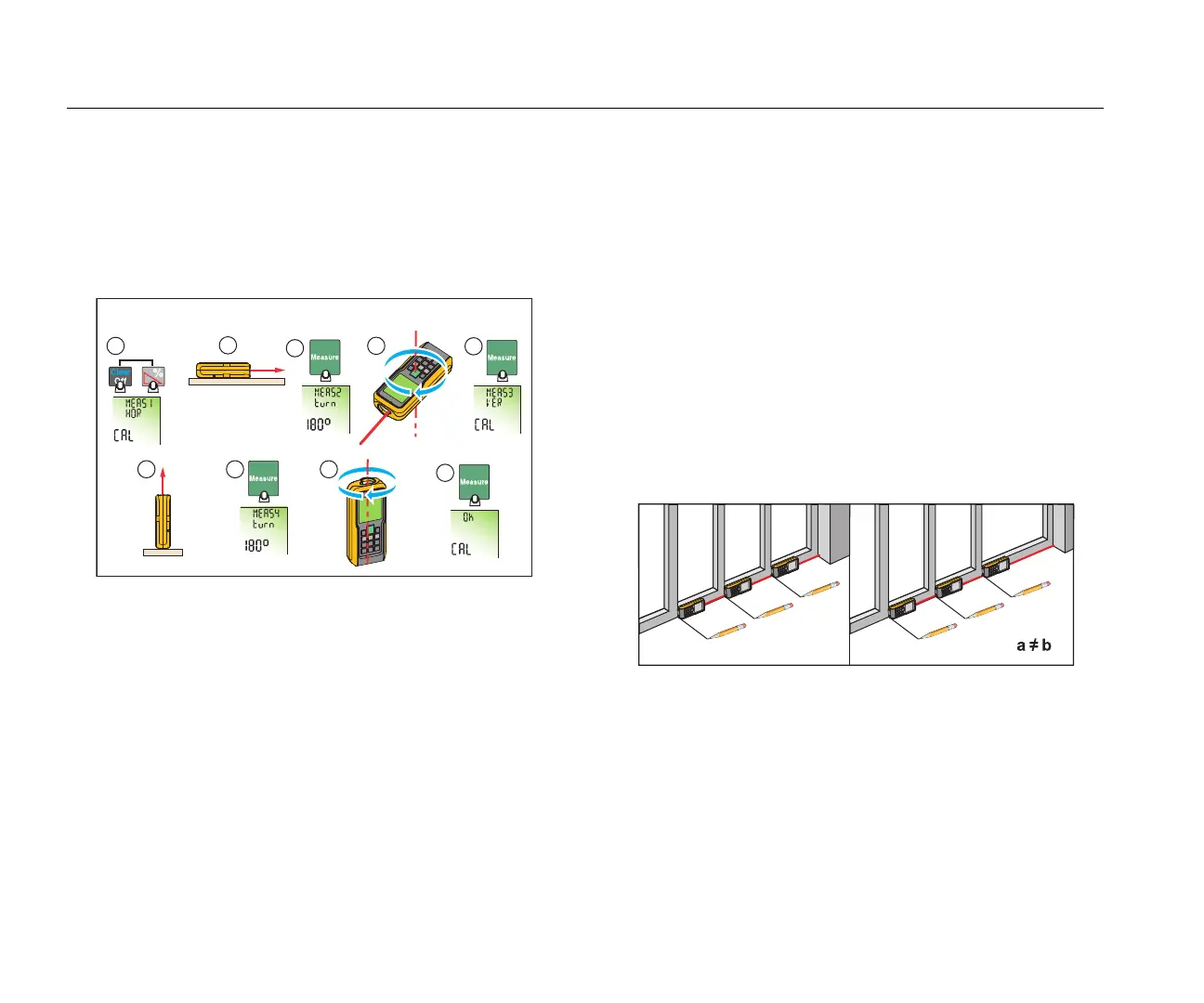
1. Push at the same time for 2 seconds.
The display shows message and the instructions for the
first measurement. See Figure 9.
Figure 9. Tilt Sensor Calibration
2. Put the Meter on a flat horizontal surface.
3. Push .
The display shows the instructions for the subsequent
measurement.
4. Turn the Meter horizontally 180 ° on the same flat horizontal
surface.
5. Push .
The display shows the instructions for the subsequent
measurement.
6. Put the Meter upright on a flat horizontal surface.
7. Push .
The display shows the instructions for the subsequent
measurement.
8. Turn the upright Meter 180 ° on the same flat surface.
9. Push .
The display shows the calibration results as .
Stake Out Measurement
A specific distance can be set in the Meter and used to mark off
defined measured lengths. An example of this application is in the
construction of wooden frames. See Figure 10 for more
information.
Note
For best results, use the end reference point for a stake
out measurement. See Reference Point.
Figure 10. Stake Out Measurement
You can enter two different distances (a and b) into the Meter and
use them to mark off measured lengths, for example, in the
construction of wooden frames.
1
2
3
a
b
b
0.625 m
0.625 m
1.012 m
1
2
3
a
b
b
a
=
b
0.625 m
0.625 m
0.625 m



 To Next Page