Laser Distance Meters
Measurements
17
To find stake out distances with 2 values:
1. Push 4x.
r shows in the display.
2. Push and to increase or decrease the values that
show on the display.
The value (a), and the intermediate line that corresponds,
blink on the display.
3. Push and to adjust the (a) value.
Note
Hold the buttons down to increase the rate of change for
the values.
4. Push M to accept the (a) value.
5. Push and to adjust the (b) value.
6. Push M to accept the (b) value.
The display shows the stake out distance in the summary
line between the stake out point (a and then b) and the Meter
(rear reference).
7. Move the Meter slowly along the stake out line the displayed
distance decreases.
The arrows in the display q indicate in which direction the
Meter needs to be moved in order to achieve the defined
distance (either a or b).
Note
If the beeper feature is on, the Meter starts to beep at a
distance of 0.1 m (4 in) from the next stake out point. As
the Meter moves near to the stake out point, the beep
changes and the arrows do not show on the display.
8. Push to stop the stake out function.
Corner Angle Measurement
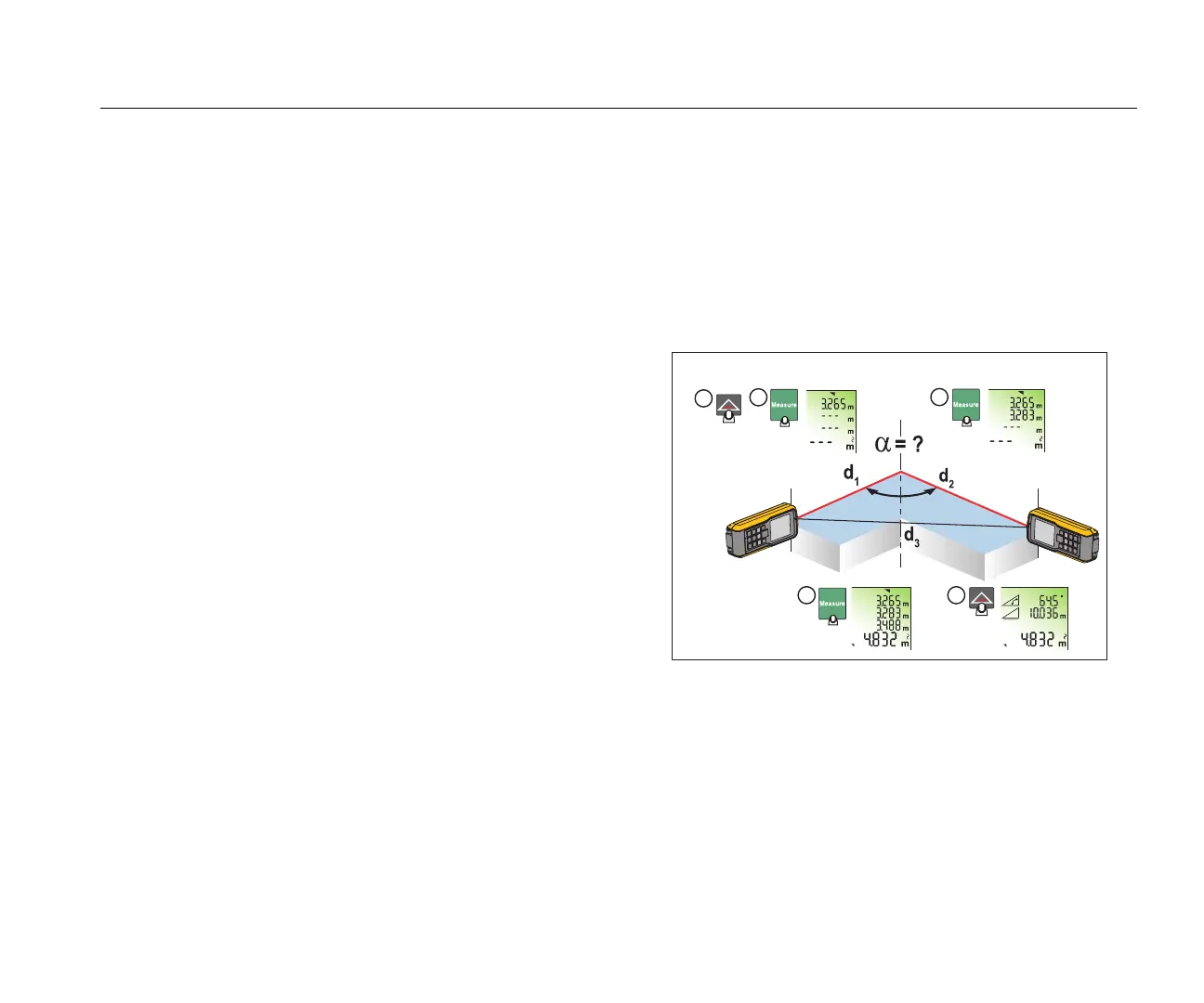
The Meter calculates the angles in a triangle with measurements
from the three sides. As an example, use this function with a
right-angle room corner. See Figure 11 for more information.
To make corner angle measurements:
1. Push 1x.
l (room corner) shows in the display.
Figure 11. Corner Angle Measurement
2. Put marks for the reference points to the right and left (d1/d2)
of the angle for measurement.
3. Push to make a measurement of the first side of the
triangle (d1 or d2).
4. Push to make a measurement of the second side of the
triangle (d1 or d2).
5. Push to make a measurement of the third side of the
triangle (d3).



 To Next Page