Users Manual
Using the Memory
31
Deleting Test Result Records
You can select the result records you want to delete by
record number, by date, by site, and by keyword search.
To delete test result records proceed as follows:
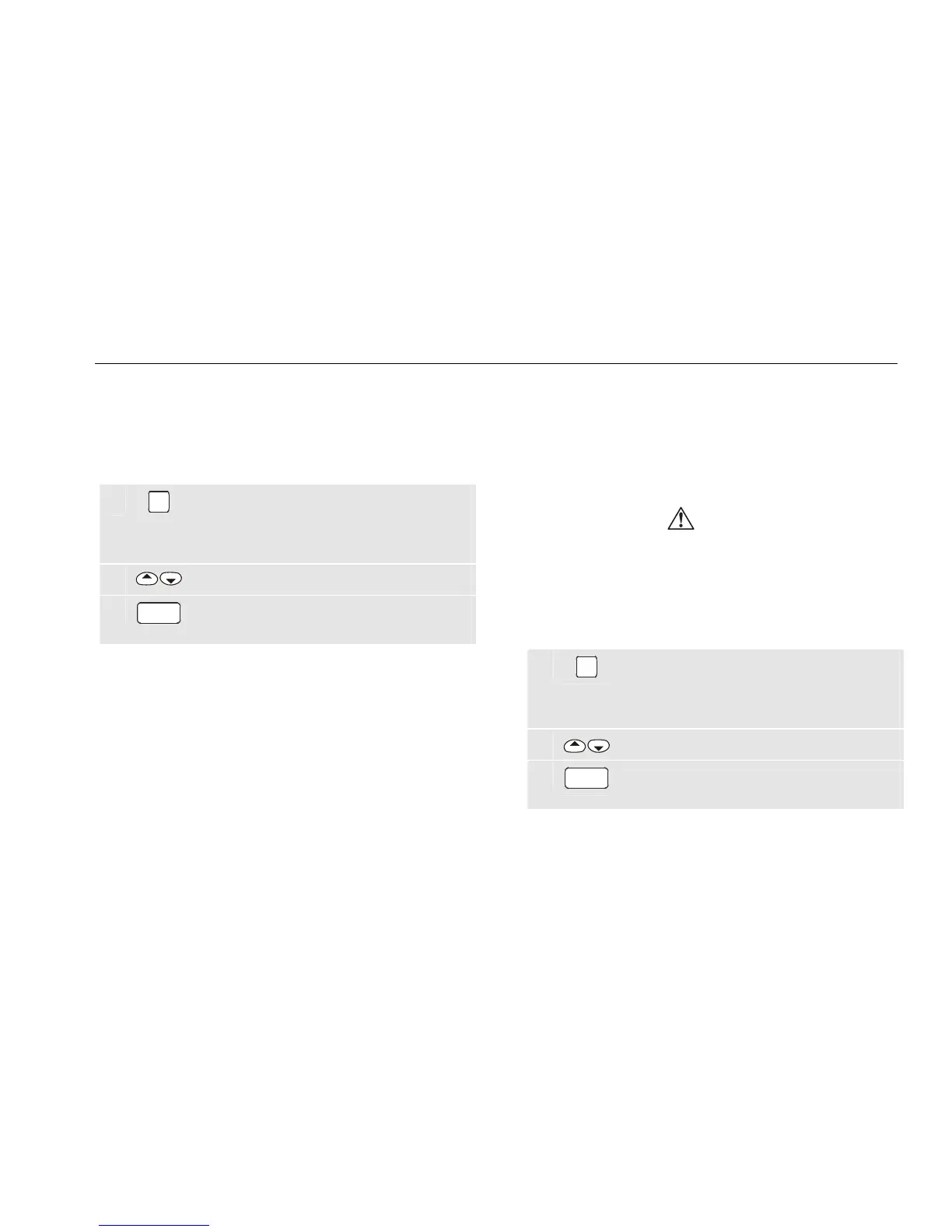
1
MEM
From the idle screen open the memory
menu.
To see the idle screen press the STOP key.
2
Highlight DELETE a record.
3
GO
Enter the delete function and follow the
screen instructions.
Notes:
1. Result records are not renumbered when a
record in the middle of the store is deleted.
2. Deleting individual records (test values)
does not free memory space! To free
memory space ALL individual data records
must be deleted or the ENTIRE memory
must be deleted, see ‘Clearing the Memory’
on page 31.
Clearing the Memory
To free ENTIRE memory you must use menu function
MEM - <CLEAR the store>. This will delete all result
records. Additionally a <CLEAR the store> function is
automatically performed after all individual records are
deleted. Automatic test procedures will not be cleared.
Caution
Before clearing the store or deleting records
you need to be sure that the contents has
been downloaded to PC and/or backed-up on
Compact Flash Memory card.
To clear the memory proceed as follows:
1
MEM
From the idle screen open the memory
menu.
To see the idle screen press the STOP key.
2 Highlight CLEAR.
3
GO
Enter the Clear menu and follow the screen
instructions.


 To Next Page