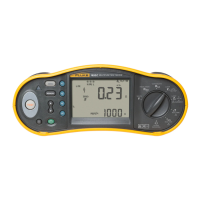
6500
Users Manual
ii
Changing the Access Code....................................................................................... 9
Selecting Fast or Standard Test Mode......................................................................10
Creating/Editing an Auto-Test Sequence .................................................................. 10
Setting Manual Test Limits........................................................................................ 12
Locking and Unlocking Manual Tests........................................................................ 13
Setting the Serial Port Communications Speed ........................................................ 13
Installing - Formatting a Compact Flash Card (Quick Format) .................................. 13
Testing Appliances ........................................................................................................ 15
Aborting a Test.......................................................................................................... 15
Test Modes: Single - Continuous Test ...................................................................... 16
Test Modes: Standard or Fast................................................................................... 16
Using the Auto-Test Mode ........................................................................................ 17
Performing Auto-Tests ......................................................................................... 17
Using the Manual Test Mode .................................................................................... 19
Performing Manual Tests ..................................................................................... 19
Description of the Tests ................................................................................................. 20
Visual Inspection Test ............................................................................................... 20
Bond Test 25A/200 mA (R
PE
).................................................................................... 20
Substitute Leakage Current Test (I
SL
) ....................................................................... 23
Touch Current Test (I
TC
)............................................................................................ 24
Load/ Leakage Current (I
PE
) Test.............................................................................. 25
IEC Lead Test ........................................................................................................... 27
PELV Test................................................................................................................. 28
Using the Memory.......................................................................................................... 29
Saving Test Results .................................................................................................. 29
Viewing Test Result Records .................................................................................... 30
Viewing Auto-Test Sequences .................................................................................. 30
Deleting Test Result Records ................................................................................... 31


 To Next Page