53
6.2 CLEANING OF THE WORKAREA
Remove leftover cutting and engraving bits from the
workarea whenever there is a buildup. A buildup of
leftover bits can create a fire hazard.
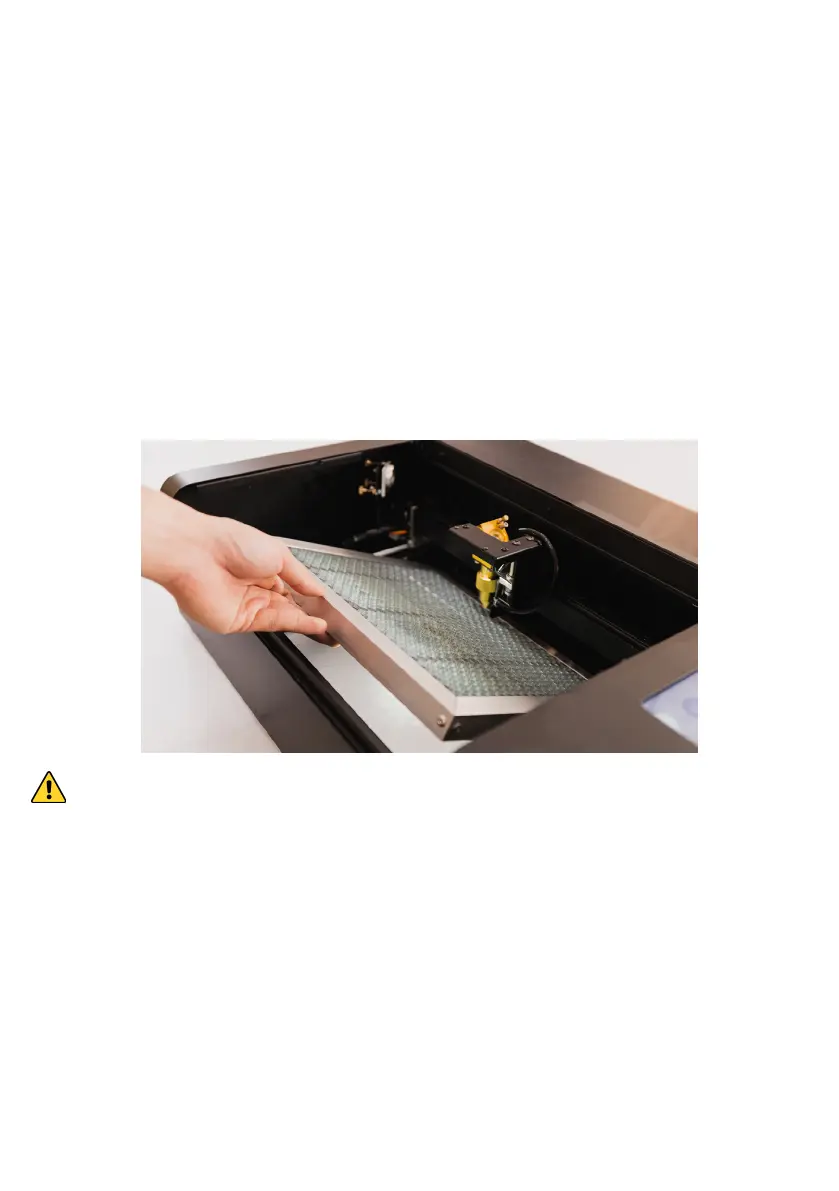
1. To remove the honeycomb plate, first move the laser
head to the top left corner, lift the honeycomb plate
slightly and slides it toward you.
Mind the sharpness of the plate surface to avoid cutting injury.
2. Use vacuum cleaner or brush to clean the leftovers
bits under the plate. Detergent can be applied to
remove the stains
3. Return the plate to the original location, sliding it in
horizontally. Be careful not to contact the laser head
or the rails.


 To Next Page